What Is Internal Linking? The Complete SEO Guide (2026)
Internal linking is the practice of creating hyperlinks between pages on the same website. Search engines use internal links to discover content, understand the topical relationships between pages, and distribute ranking authority (Google’s PageRank algorithm, originally published by Larry Page and Sergey Brin in 1998) across a site. A well-structured internal linking strategy ensures that every important page is reachable within a few clicks from the homepage and that link equity flows efficiently from high-authority pages to deeper content.
This guide covers what internal linking is, why Google’s crawler depends on it for discovering and ranking pages, and how to build a link structure that drives measurable rankings improvements across your site.
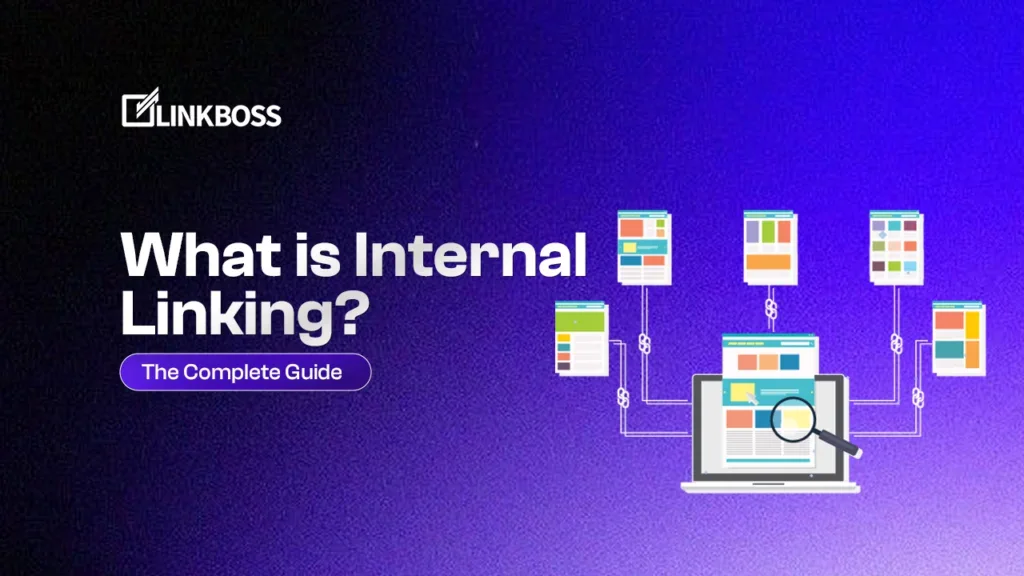
What Is Internal Linking?
An internal link is a hyperlink that connects one page on your website to another page on the same website. Every time you link from your homepage to a blog post, from one article to a related guide, or from a product page to its category, you are building an internal link. The distinction matters because internal links live entirely within your domain, unlike external links that point to other websites.
Internal links serve three functions: they allow Googlebot to discover and crawl pages, they pass PageRank (link equity) between pages to influence rankings, and they provide topical context that helps Google understand the relationship between your pages. Internal linking benefits for SEO rankings are well-documented: pages with more relevant internal links pointing to them consistently outrank equivalent pages with fewer links.
Internal Links vs. External Links
An internal link stays on your domain: yoursite.com/page-a linking to yoursite.com/page-b. An external link goes off-site, either outbound (you linking to another domain) or inbound (another domain linking to yours). Both link types contribute to SEO, but internal links are entirely within your control. You can build, optimize, and scale your internal linking strategy without needing any third-party cooperation.
For a deeper breakdown of how these two link types differ in practice, see our guide on internal vs. external links in SEO.
Why Internal Linking Matters for SEO
Internal linking serves three core SEO functions: it helps search engines crawl and index your content, it distributes PageRank (link equity) across your site, and it establishes topical relevance between pages.
1. Crawlability and Indexation
Googlebot discovers pages by following links from page to page, starting from URLs it already knows. If a page has no internal links pointing to it, Google’s crawler may never find it. These pages are called orphan pages, and they represent a direct gap in your Google indexing process. Even if Google does find an orphan page through an external backlink or an XML sitemap, a lack of internal links signals that the page is not important to your site’s structure.
Consider a concrete crawl path. Googlebot lands on your homepage, follows a link to your blog index, follows a link to a specific article, and from that article follows a contextual link to a related guide. Each link in that chain is a crawl path. Pages that sit at the end of no crawl path are invisible to Googlebot unless externally linked. This is why how to find and fix orphan pages is one of the first tasks in any internal linking audit.
A strong internal linking architecture ensures every important page is reachable within 3 clicks from your homepage. Google has defined crawl budget guidelines that explain why wasting crawler resources on low-value pages reduces the frequency with which Google visits your important content.
2. PageRank Distribution (Link Equity)
Google’s PageRank algorithm works on the premise that links pass authority. The more links a page receives, the more authoritative it appears. This applies to internal links, not just backlinks from external sites.
Here is a worked example of how PageRank flows through a 5-page site. Imagine a homepage (Page A) with PageRank score of 100, and four deeper pages (B, C, D, E) each with a score of 10. If Page A links to Pages B and C, it distributes roughly 85% of its authority evenly between them, giving each approximately 42.5 points. Pages D and E receive nothing from the homepage and remain at 10. Now, if you add internal links from Page B to Page D and from Page C to Page E, Page B passes roughly 36 of its 42.5 points to D, and Page C passes roughly 36 of its 42.5 points to E. The result: Pages D and E jump from a score of 10 to approximately 46, making them significantly more competitive in search results, all from two strategically placed internal links.
When your most authoritative pages (like your homepage) link to deeper pages, they pass a portion of their authority along. This is why internal linking strategy directly impacts rankings. Pointing internal links at a target page with the right anchor text is one of the most reliable on-site tactics for improving search positions.
3. Topical Authority and Semantic Relevance
Modern Google reads links, not just counts them. Google’s use of anchor text as a ranking signal means the clickable text you choose and the surrounding context both tell Google what the destination page covers. Linking related content together creates a semantic network that helps Google understand your site’s topical focus.
This is foundational to building topical authority through internal linking, a strategy where you cluster related content together and signal to Google that you cover a subject comprehensively. Pages connected by internal links with semantically relevant anchor text rank higher for related queries than isolated pages with the same content.
How Internal Linking Works: Anatomy of an Internal Link
An internal link in HTML looks like this:
<a href="https://yoursite.com/target-page/">anchor text here</a>
Three elements determine the SEO value of an internal link:
1. The URL (href): The destination page. Use the canonical, crawlable URL. Avoid linking to non-canonical versions (HTTP vs HTTPS, www vs non-www, trailing slash variations) because this splits the PageRank signal across duplicate URLs.
2. The Anchor Text: The clickable text. This is a critical ranking signal because Google uses it to classify the linked page’s topic. For example, a link with anchor text “internal linking strategy” tells Google the destination page is about internal linking strategy, not about a generic “click here” action.
3. The Surrounding Context: The sentences and paragraphs around the link give Google additional context. A link to your silo builder feature page placed in a paragraph about content architecture carries more signal than the same link buried in an unrelated section. Google’s algorithms evaluate the words, entities, and concepts near a link to refine their understanding of the destination page.
Types of Internal Links for SEO Strategy
Not all internal links carry equal SEO weight. Understanding the different types allows you to allocate your linking effort where it produces the greatest rankings impact.
Navigational Links
These appear in your site’s navigation: header menus, footers, breadcrumbs, and sidebars. They link to your most important pages and appear on every or nearly every page of your site. Because they are site-wide, they pass substantial link equity, but the anchor text is usually fixed and generic (e.g., “Blog,” “Services,” “Contact”). For example, a footer link with anchor text “Blog” passes authority to your blog index, but does not tell Google what specific blog topics you cover.
Contextual Links
Contextual internal links appear naturally within the body content of a page, embedded in a paragraph, a section introduction, or a closing recommendation. These are the most valuable type for SEO because they carry specific anchor text and topical context. A link with anchor text “internal linking checklist” placed inside a paragraph about site audits carries far more signal than a sidebar widget labeled “Recommended.” Most of your strategic internal linking effort should focus on building contextual links between related content.
Footer Links
Footer links appear across your entire site and can be effective for linking to important utility pages such as About, Contact, and key service pages. However, overusing footer links with keyword-rich anchor text can appear manipulative to Google’s algorithms. Use them for genuine navigation and limit the number of optimized footer links to 5 to 10 per footer.
Related Post Widgets
Common on blogs, these “you might also like” or “related posts” modules create automatic internal links between topically similar content. They are useful for content discovery and reducing bounce rate, but they typically carry less SEO weight than contextual links because the anchor text is often the post title rather than a keyword-optimized phrase, and the links appear in a template area rather than in editorial content.
Anchor Text Optimization for Internal Linking
Anchor text is the single most important component of an internal link from an SEO standpoint. Google’s use of anchor text as a ranking signal means the words you choose as the clickable text directly influence how Google classifies and ranks the destination page.
There are five anchor text types to use in your internal linking strategy:
- Exact match: The anchor text exactly matches the target keyword (e.g., “internal linking tool” linking to a page targeting that term). Use exact match anchors for your 3 to 5 highest-priority target pages.
- Partial match: Variations that include the keyword (e.g., “best internal linking tool for WordPress”, “AI-powered internal linking tool”). Partial match anchors make up the bulk of a natural link profile.
- Branded: Your brand name as the anchor (e.g., “LinkBoss”). Branded anchors build brand authority and are safe in any quantity.
- Semantic/LSI: Conceptually related terms (e.g., “internal linking software”, “link structure builder”). These anchors leverage semantic search and information retrieval principles to reinforce topical relevance.
- Generic: Non-descriptive phrases like “click here” or “read more.” These waste the anchor text opportunity and pass zero topical signal. Eliminate them from your internal linking strategy entirely.
A healthy internal linking profile uses a mix of all types, with exact and partial match anchors making up 40 to 60% of links to your most important target pages, branded anchors at 20 to 30%, and semantic variations filling the rest. An unnatural profile of 100% exact match anchors triggers algorithmic scrutiny. Vary your language while keeping the target keyword in regular rotation.
For a detailed walkthrough of optimizing your anchor text distribution, explore the anchor text optimization feature in LinkBoss, which uses AI to suggest the right anchor text for every link you create.
Internal Linking and Site Architecture
The most effective internal linking strategies are built into your site’s architecture from the start, not bolted on after content is published.
The Hub-and-Spoke (Pillar-Cluster) Model
The most widely recommended architecture for topical authority is the pillar-cluster content model:
- A pillar page covers a broad topic comprehensively (e.g., “What Is Internal Linking”)
- Cluster pages cover specific subtopics in depth (e.g., “Internal Linking for E-Commerce,” “WordPress Internal Linking”)
- Cluster pages link back to the pillar, and the pillar links out to the clusters
This creates a tightly-knit topical cluster that signals expertise to search engines. For example, this pillar page on “internal linking” links to cluster pages on best practices, strategies, common mistakes, platform-specific guides, and tools, and each of those cluster pages links back here. To maximize the authority of this structure, you can also build a circular internal linking structure where cluster pages link to each other in addition to the pillar, forming a dense mesh of topical signals.
Silo Architecture
Related to the pillar-cluster model, a content silo groups pages by topic and minimizes cross-topic internal linking. This keeps topical signals clean and concentrated. For example, an SEO tool site might maintain separate silos for “internal linking,” “keyword research,” and “site audit” content, with limited linking between silos. You can learn more about what interlinking silos are and how they work from our dedicated guide.
Building silos manually is time-consuming at scale. That is where a semantic silo builder becomes essential. It automates the process of identifying and creating topical clusters across your site, reducing the work of organizing hundreds of pages into logical silo structures from weeks to minutes.
Flat vs. Deep Site Architecture
A flat architecture means most pages are reachable within 3 clicks from the homepage. A deep architecture means some pages are buried 6, 7, or more clicks down. For SEO, flatter is consistently better because it ensures link equity flows to important pages and crawlers reach everything efficiently.
A site visualizer tool lets you see your current link structure as a visual map, making it easy to spot orphan pages, deep pages, and linking gaps before they cost you rankings.
Internal Linking Best Practices
These seven practices are supported by data from thousands of internal linking audits and align with Google’s published guidance:
Link to relevant pages, always. Only link pages together when there is genuine topical relevance. Random internal links dilute signals and confuse both users and search engines.
Use descriptive anchor text. Replace every instance of “click here” or “read more” with anchor text that describes the destination page and includes its target keyword.
Prioritize your most important pages. Count the internal links pointing to each of your key pages. If a page you want to rank has fewer than 5 internal links pointing at it, that is a direct opportunity. Add contextual links from your highest-authority pages.
Do not over-link a single page. We suggest keeping it to a “reasonable number,” typically under 100 links per page. Every additional link dilutes the PageRank passed by each individual link.
Link from high-authority pages. A link from your homepage or a page with strong external backlinks passes more equity than a link from a newly published post with no authority. Audit your top 10 pages by external backlink count and ensure they link to your priority target pages.
Fix orphan pages. Any published page with zero internal links pointing to it is essentially invisible to Googlebot. Run a regular audit to find and fix these. Your target should be zero orphan pages on your site.
Keep links in body content. Contextual links in article bodies carry significantly more weight than the same link placed in a sidebar widget or footer. Google’s algorithms weight in-content links higher because they reflect editorial intent.
For a full deep-dive, read our guide to internal linking best practices.
Common Internal Linking Mistakes to Avoid
These seven mistakes appear repeatedly in site audits, even on sites managed by experienced SEO teams:
Using generic anchor text. “Read more,” “learn here,” and “this page” waste the anchor text opportunity entirely. Every internal link anchor should describe the destination page’s topic.
Linking to the wrong page. Linking multiple pages with the same anchor text to different destination pages creates mixed signals. Pick one page per keyword cluster and link consistently.
Ignoring orphan pages. Pages that exist but receive no internal links do not get crawled reliably and do not accumulate authority. Run a monthly check and add at least one internal link to every orphan page.
Over-linking with exact match anchors. An unnatural anchor text profile of 100% exact match triggers algorithmic penalties. Maintain a mix of exact, partial, branded, and semantic anchors.
Not updating old content with new links. As you publish new content, go back to older relevant posts and add links to the new pages. Most SEOs skip this step, and it represents one of the largest missed opportunities in internal linking.
Broken internal links. These hurt both user experience and crawl efficiency. A broken internal link sends Googlebot to a 404 page, wasting crawl budget. Monitor your site weekly to catch broken links early.
Linking only from new content to old content. Internal linking is bidirectional. When you publish a new pillar page, add links from existing cluster pages to the new pillar, not just links from the pillar to the clusters.
We cover these and more in our deep dive on common internal linking mistakes.
How to Do Internal Linking at Scale
For sites with dozens of pages, internal linking is manageable manually. For sites with hundreds or thousands of pages, manual linking breaks down. The number of possible internal link combinations grows exponentially with page count, making it impossible to evaluate every opportunity by hand.
This is exactly the problem that WordPress internal linking automation tools solve. Rather than manually finding every relevant linking opportunity across your content, an AI-powered tool analyzes your entire site, identifies where links should go, and suggests or automatically places them. For a comparison of the leading options, see our roundup of the best internal linking tools for 2026.
LinkBoss is an internal linking tool built specifically for this use case. It scans your site, maps your content relationships, and creates contextual internal links at scale with the right anchor text, pointing to the right pages, in the right context. It is used by 6,500+ SEOs and content teams to automate what would otherwise require a full-time employee dedicated to link management.
Key capabilities include:
- Bulk auto interlinking: automatically add internal links across hundreds of posts simultaneously
- Semantic silo building: group your content into topical clusters automatically
- Smart anchor text optimization: AI-suggested anchor text based on your keyword targets
- Link health monitoring: catch broken links and orphan pages before they damage rankings
- Site visualizer: see your entire link structure in one interactive map
Internal Linking for Different Site Types
The core principles of internal linking apply universally, but the tactics differ by site type:
Blogs and content sites benefit most from pillar-cluster architectures. Every new post should link back to its pillar and to related cluster posts. Over time, this builds a dense web of topical authority. A blog with 200 posts organized into 10 topic clusters will outperform the same 200 posts organized with no internal structure.
E-commerce sites need internal linking at category, subcategory, and product levels. Linking related products together, linking product pages to their parent category pages, and linking blog content to relevant products are all high-value opportunities. Product pages that receive internal links from category pages and related blog posts rank higher than isolated product pages. For a detailed breakdown of e-commerce-specific tactics, see our guide to internal linking for e-commerce SEO.
WordPress sites have particular internal linking needs given how content is often published frequently and at scale. Tools built specifically for WordPress bulk internal linking can dramatically reduce the time spent managing links across a large WordPress installation.
Publisher and media sites with thousands of articles need automated interlinking solutions. Manual link building is not viable at that scale. Automation is the only practical approach for sites publishing 10 or more articles per day.
Measuring Internal Linking Performance
Track these five metrics to evaluate whether your internal linking strategy is producing results:
Crawl coverage: Are all important pages being crawled regularly? Check Google Search Console’s Coverage report. An increase in indexed pages after improving internal links is a direct signal that your changes are working.
Rankings for target pages: Track keyword rankings for pages you have added internal links to. Expect movement within 2 to 8 weeks for established sites. Pages that receive 5 to 10 new internal links from relevant content typically move 3 to 15 positions higher within 30 days.
Organic traffic to deep pages: Pages that previously received zero organic traffic should start attracting visits after being linked from high-authority pages. Track this in Google Analytics by comparing organic sessions before and after internal link additions.
PageRank flow: Site audit tools like Screaming Frog and Ahrefs show internal link counts by page. Use this data to verify that your most important pages are receiving the most internal links. If your target ranking page has fewer internal links than a less important page, adjust your linking strategy. You can also use free internal linking audit tools to get a quick snapshot of your site’s link distribution without a paid subscription.
Orphan pages: Your target is zero orphan pages. Track this metric monthly. A site with 100 pages should have 0 orphan pages. A site with 10,000 pages should aim for fewer than 10, or 0.1% of total pages.
Summary: What You Need to Know About Internal Linking
Internal linking is the practice of linking pages on your website to other pages on the same site. It is critical for SEO because it enables crawling and indexation, distributes PageRank across your site, and signals topical relevance between related content. Pages with strong internal link profiles rank higher, get crawled more frequently, and receive more organic traffic than isolated pages.
The fundamentals are straightforward: link relevant pages together with descriptive anchor text, prioritize your most important target pages by directing links from your highest-authority content, and build your site architecture around logical topical clusters using the pillar-cluster model.
At scale, manual internal linking becomes impractical, and that is where an internal linking tool like LinkBoss makes the difference. It automates the discovery, creation, and optimization of internal links so you can focus on creating content rather than managing link structures.
Frequently Asked Questions About Internal Linking
What is the difference between internal and external links?
Internal links connect pages within the same website. External links point to pages on other websites. Both matter for SEO, but internal links are entirely under your control and can be built and optimized without relying on third parties.
How many internal links should a page have?
There’s no hard limit, but Google has historically suggested keeping it to a u0022reasonable numberu0022, typically interpreted as under 100 links per page for most sites. More practically, focus on quality over quantity: every internal link should serve a clear navigational or topical purpose.
Do internal links help with rankings?
Yes. Internal links pass PageRank (link equity) between pages and provide topical context signals. Pages with more relevant internal links pointing to them typically rank higher than equivalent pages with fewer links.
What is the best anchor text for internal links?
Use descriptive, keyword-relevant anchor text that reflects the target page’s topic. Vary your anchors between exact match, partial match, branded, and semantic variations to maintain a natural link profile.
How do I find orphan pages on my site?
Use a site crawler like Screaming Frog, or a dedicated u003ca href=u0022https://linkboss.io/free-tools/orphan-page-checker/u0022u003efree orphan page checkeru003c/au003e to scan your entire site structure and identify pages that receive no internal links.
Can internal linking hurt SEO?
Done poorly, using manipulative anchor text, over-optimizing with repetitive exact-match anchors, or creating irrelevant links, it can hurt rankings. Done strategically, internal linking is one of the safest and most reliable on-site SEO tactics available.
What is an example of internal linking?
An example of internal linking is when a blog post about on-page SEO contains a hyperlink with anchor text u0022internal linking guideu0022 that points to another page on the same website explaining internal linking strategies. The link connects two pages within the same domain, helping Google discover the destination page and understand its topical relationship to the source page.
Does internal linking increase domain authority?
Internal linking does not directly increase domain authority, which is primarily determined by external backlinks from other websites. However, internal linking distributes the authority your domain already has across your pages more effectively. A page with 50 relevant internal links pointing to it will rank higher than the same page with zero internal links, even though the domain authority score remains unchanged.
Ready to automate your internal linking? LinkBoss is the AI-powered internal linking tool trusted by 6,500+ SEOs to build smarter link structures at scale.