WordPress Internal Linking for Large Sites
WordPress internal linking at scale requires cloud-based semantic processing to maintain site architecture without degrading server performance. Sites with 500+ posts typically have 40-60% of content orphaned without internal links, invisible to search engine crawlers. According to Google Search Central documentation on crawl budget, pages discovered through sitemaps rather than followed links receive less crawl priority, and orphaned pages accumulate no link equity. LinkBoss provides WordPress internal linking through a lightweight plugin that syncs content to the cloud for semantic analysis, keeping Core Web Vitals intact while building comprehensive internal link networks.
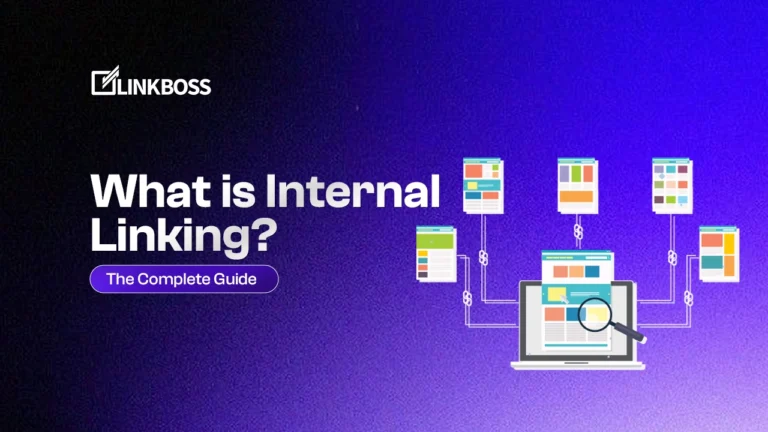
This guide provides a systematic framework for WordPress site owners and content managers who need to build linking architectures that scale with growing content libraries. For foundational context on what internal linking is and why it matters, see our detailed guide.
WordPress Site Architecture Requires Internal Linking for SEO Performance
WordPress powers 43.7% of all websites globally according to WordPress usage statistics, yet the platform was never designed with linking architecture in mind. As sites grow, orphaned content accumulates in the relational database. Orphan pages are posts with zero inbound internal links, meaning Googlebot cannot discover them through link traversal and must rely entirely on sitemaps.
Pages discovered through sitemaps rather than followed links receive less crawl priority. This becomes a significant problem for sites with extensive content libraries. The impact scales with site size:
| Site Size | Typical Orphan Rate | Crawl Impact |
|---|---|---|
| Under 100 posts | 10-20% | Minimal |
| 100-500 posts | 25-40% | Moderate |
| 500-2,000 posts | 40-60% | Significant |
| 2,000+ posts | 50-70% | Severe |
WordPress category taxonomy creates a flat, two-level hierarchy communicating only broad topic associations. Sites need dense, multi-directional semantic networks where related posts link to each other and reinforce topical clusters. Unlike external links sending authority away, internal links keep page authority circulating within the site.
Manual Internal Linking in Gutenberg Creates Unsustainable Overhead
Manual linking in the WordPress Gutenberg editor becomes impractical as content scales. The WordPress block editor supports linking through the link dialog, but the cost increases exponentially with site size:
| Content Volume | Manual Linking Time | Feasibility |
|---|---|---|
| 50 posts | 2-3 hours monthly | Manageable |
| 500 posts | 20-30 hours monthly | Part-time job |
| 5,000 posts | 200+ hours monthly | Requires dedicated staff |
Manual linking creates three structural problems:
- Directional imbalance where new posts link to old ones but old posts rarely link back to new ones
- Missed opportunities because editors cannot hold entire content inventories in memory
- Inconsistent implementation across different editors and time periods
The Gutenberg linking process is technically straightforward: highlight anchor text, click the link icon or press Ctrl+K, and paste the URL. The challenge is knowing which links to add and maintaining consistency across thousands of posts. A practical guideline is 3-5 internal links per post, with priority given to links placed higher in content. WordPress users evaluating alternatives to manual workflows should review WordPress internal linking tool alternatives that automate this process.
Keyword Injection Plugins Create Algorithmic Risk for WordPress Sites
Keyword injection plugins like Internal Link Juicer and WILO create algorithmic risk by scanning content for exact keyword matches and automatically inserting links through PHP injection. This approach introduces three critical problems.
Problem 1: Anchor Text Over-Optimization
When one exact-match phrase accounts for the majority of inbound links to a target page, Google’s Penguin algorithm reads the pattern as manipulation. Google’s helpful content guidance emphasizes that linking patterns should reflect genuine editorial relationships, not algorithmic insertion. Sites where over 90% of internal links use identical anchor text face devaluation risk.
Problem 2: Contextual Blindness
Keyword matchers do not read paragraph context surrounding insertion points or evaluate whether destinations are relevant to reader engagement. Results are links technically present but semantically incoherent.
Problem 3: Server Performance Degradation
These plugins execute NLP scanning routines directly on WordPress servers. Every bulk update triggers resource-intensive processing competing with live page load requests. On shared hosting, this degrades Time to First Byte and Core Web Vitals scores. According to Kinsta’s WordPress performance benchmarks, plugin overhead is a leading cause of slow admin panel response times and degraded frontend performance on resource-constrained hosting environments.
Additional plugin conflict risks:
- Multiple plugins fighting over server resources during processing cycles
- Timeouts and memory limit errors
- Unpredictable behavior affecting performance and functionality
Optimal Anchor Text Distribution for WordPress Internal Linking
Optimal anchor text distribution diversifies signals telling search engines what linked pages are about. Concentrating all internal links using the same phrase looks manipulative to algorithms detecting link schemes. Google’s SEO starter guide recommends using descriptive anchor text that helps users understand link destinations.
| Anchor Type | Target Percentage | Example |
|---|---|---|
| Exact Match | 25% | “WordPress SEO guide” |
| Partial Match | 30% | “complete guide to WordPress SEO” |
| Branded | 25% | “LinkBoss WordPress integration” |
| Semantic Variations | 10% | “optimizing your WordPress site” |
| Generic Navigational | 10% | “related guide”, “learn more” |
Generic anchor text like “click here” provides no context to search engines and wastes SEO opportunity. Descriptive anchor text indicating destination page topic helps both users and search engines. Maintaining this balance manually across thousands of links is not practical. LinkBoss bulk auto interlinking tracks anchor text distribution per target URL automatically. Sites concerned about anchor text cannibalization across competing pages should use the free anchor text cannibalization checker to identify and resolve conflicts.
Cloud-Based Processing Solves WordPress Internal Linking at Scale
Cloud-based processing solves WordPress linking by separating heavy computation from page serving. If linking software runs on your local WordPress server, it competes for the CPU and memory needed to serve pages to visitors. LinkBoss processes everything in the cloud through a multi-site management portal. According to WP Rocket’s server performance documentation, code-heavy plugins and background processes are primary causes of high Time to First Byte (TTFB), as they tie up server resources that should be dedicated to user requests.
| Processing Location | Server Impact | Performance |
|---|---|---|
| WordPress Server (Plugins) | Competes with page loads | Degrades Core Web Vitals |
| Cloud Platform (LinkBoss) | Zero server computation | Preserves Core Web Vitals |
WordPress sites sync content to the LinkBoss platform, and the platform sends finalized link insertions back. The server never touches NLP computation. The semantic matching engine reads full paragraph context around each potential insertion and evaluates whether destinations are genuinely relevant.
LinkBoss WordPress Integration: Setup, Connection, and Requirements
LinkBoss integrates with WordPress through a lightweight plugin that syncs content to the cloud platform. Setup takes approximately 5 minutes and requires no coding knowledge. The integration operates through a simple connection process.
Integration Requirements
- WordPress 5.0 or higher
- Admin access to WordPress dashboard
- Active LinkBoss account
Connection Process
- Install plugin from WordPress plugin repository (search “LinkBoss”)
- Copy site URL from WordPress admin
- Create site in LinkBoss dashboard
- Copy API key from LinkBoss configuration
- Paste API key into WordPress plugin settings
- Sync content to cloud platform
What LinkBoss Features Support WordPress Operations?
| Feature | WordPress Benefit |
|---|---|
| Silo Builder | Automated pillar and cluster structure creation |
| Bulk Auto Interlinking | Process entire content libraries in hours |
| Site Visualizer | Visual maps showing content clusters and gaps |
| Link Health Monitor | Automated broken link and orphan detection |
| Smart Anchor Optimizer | Automatic anchor text distribution tracking |
| Real-time Sync | New content syncs automatically on publish |
Building Internal Linking Silo Structure in WordPress
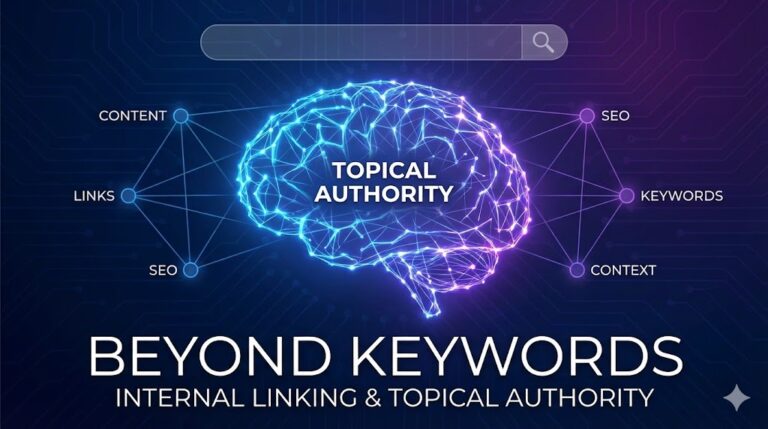
Silo structure in WordPress organizes content into tightly interlinked topical clusters. WordPress category taxonomy creates shallow hierarchy communicating broad topic associations but not deeper semantic relationships between posts on related subtopics. WordPress category and taxonomy architecture provides a useful starting point but cannot replicate the dense cross-linking that semantic silo structures require.
The silo architecture model:
- Pillar page covers the broad topic
- Cluster posts cover specific subtopics
- Bidirectional links connect pillar to clusters and clusters back to pillar
- Internal cluster links connect related cluster posts to each other
| Content Level | Link Targets | Function |
|---|---|---|
| Pillar Page | All cluster posts | Hub distributing authority |
| Cluster Post | Pillar + related clusters | Spoke receiving and passing authority |
| Supporting Content | Relevant cluster posts | Additional depth signals |
The LinkBoss Silo Builder analyzes entire content inventories and generates structured linking plans mapping posts into semantic clusters. It identifies which pages should serve as pillars, which should be cluster posts, and builds bidirectional link networks automatically.
Managing Broken Links and Content Health on WordPress Sites
Broken links drain SEO potential by disrupting link equity flow and signaling poor site maintenance to search engines. Every internal link pointing to a 404 error page wastes authority that should pass to valid content. Google documentation on HTTP network errors confirms that server errors (5xx) and client errors (4xx) negatively impact how Googlebot crawls and indexes site content.
Common causes of broken links:
- URLs change during site migrations or restructuring
- Pages deleted without proper redirects
- Typos in manually entered URLs
- Permalink structure changes
Broken link resolution options:
| Situation | Action |
|---|---|
| Page exists under new URL | Update link to new URL |
| Original page deleted, alternative exists | Swap for related content |
| No relevant replacement | Remove link entirely |
| Page had strong backlinks or traffic | Set up 301 redirect |
The Link Health Monitor runs continuously in the background, flagging broken links, newly orphaned pages, and anchor text distribution drift as content is published. WordPress internal linking requires ongoing maintenance, and monitoring keeps semantic networks intact as sites grow.
Expected SEO Results From Internal Linking on WordPress Sites
WordPress sites implementing systematic internal linking architectures can expect measurable improvements across SEO and engagement metrics:
| Metric | Typical Improvement | Timeline |
|---|---|---|
| Orphaned Content | Reduce from 50% to under 10% | 30 days |
| Crawl Efficiency | 30-50% more pages indexed | 60-90 days |
| Internal Link Count | 200-500% increase | 30 days |
| Pages Per Session | +20-40% increase | 30-60 days |
| Time on Site | +15-30% increase | 30-60 days |
FAQ
How does excessive exact-match anchor text trigger algorithmic penalties in WordPress?
Google’s Penguin algorithm detects link manipulation through anchor text pattern analysis. When hundreds of internal links to a single page use identical phrases, algorithms read patterns as artificially constructed regardless of intent. Sites where over 90% of internal links use identical anchor text face significant devaluation risk. The consequence is gradual ranking signal decline that is difficult to diagnose and slow to recover from without full anchor text remediation.
Why is cloud-based internal linking superior to WordPress plugins?
Cloud-based internal linking is superior to WordPress plugins for three reasons. First, cloud processing keeps NLP computation off WordPress servers, protecting Core Web Vitals and eliminating plugin conflicts. Second, cloud platforms operate against entire content inventories simultaneously rather than processing post by post. Third, semantic intelligence practical in cloud environments exceeds what local WordPress plugin architectures running PHP injection routines on shared hosting can achieve.
How does semantic matching prevent contextual irrelevance in automated link insertion?
Semantic matching prevents contextual irrelevance by reading full paragraph context surrounding each insertion point and evaluating whether destination URLs are topically relevant to reader engagement at that moment. This eliminates the core failure of keyword injection tools, which insert links wherever strings match regardless of whether linked content is useful. Every link in semantically matched networks represents genuine editorial relationships between content pieces rather than mechanical keyword-to-URL mappings.
What is orphaned content and how does it hurt WordPress SEO?
Orphaned content refers to WordPress posts or pages with no internal links pointing to them from other site pages. Without inbound links, search engines struggle to discover these pages through normal crawling and must rely entirely on sitemaps. Orphan pages typically receive less crawl priority, accumulate no link equity from the rest of the site, and often fail to rank well regardless of content quality. Identifying and fixing orphaned content by building relevant internal links is one of the fastest ways to strengthen overall site SEO.
How does LinkBoss WordPress integration work?
LinkBoss WordPress integration works through a lightweight plugin that syncs content to the cloud platform. The plugin connects via API key, syncing all published posts, pages, and custom post types. Cloud-based semantic analysis identifies linking opportunities, and finalized link insertions sync back to WordPress automatically. The server never performs NLP computation, preserving Core Web Vitals. Setup takes approximately 5 minutes with no coding required.
WordPress internal linking at scale is a semantic infrastructure problem, not a plugin problem. LinkBoss processes outside WordPress servers, reads context rather than matching strings, and builds link networks reflecting actual topical relationships across content. This turns large content libraries into compounding organic assets with cloud-based semantic processing, automated silo building, and continuous link health monitoring. WordPress users comparing SEO plugin approaches should see our detailed LinkBoss vs Yoast, LinkBoss vs Rank Math, and LinkBoss vs AIOSEO comparisons to understand the differences between plugin-based and cloud-based internal linking strategies.