Shopify Internal Linking: How to Get Google to Actually Crawl Your Store
Shopify internal linking controls how link equity flows through ecommerce stores, determining which products get crawled, indexed, and ranked. Stores with 500+ products and 100+ blog posts typically have 40-60% of content orphaned without internal links. LinkBoss provides semantic internal linking for Shopify through direct store integration that syncs products, collections, pages, and blog posts for automated contextual linking.
This guide provides a systematic framework for Shopify store owners and ecommerce SEO professionals who need to build linking architectures that drive both organic traffic and checkout conversions.
What Is the E-commerce Link Equity Problem?
The ecommerce link equity problem occurs when homepage authority fails to flow down to product pages, collections, and blog content. External backlinks accumulate on the homepage, but without proper internal linking structures, that authority never reaches commercial pages where conversions happen.
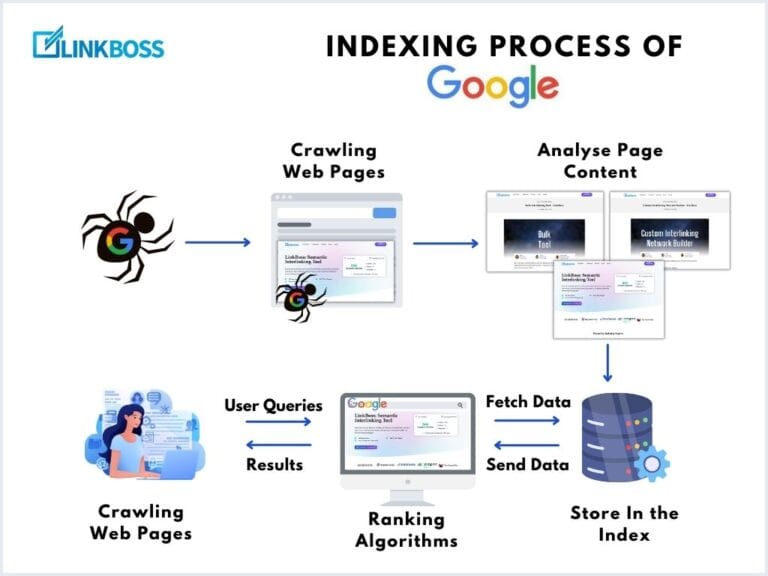
Google’s crawler (Googlebot) discovers new pages through links on previously scanned pages. Pages without internal links pointing to them become orphan pages that struggle to get indexed and fail to rank even for low-competition queries. The internal link structure directly determines what content gets found and indexed.
The impact on Shopify stores is measurable across three dimensions:
| Issue | Cause | Business Impact |
|---|---|---|
| Deep products not indexed | Products 3-4 clicks from homepage | Organic traffic loss on long-tail keywords |
| High bounce rates | No contextual navigation paths | Lost revenue from abandoning visitors |
| Low pages per session | Blog content disconnected from products | Wasted content marketing investment |
What Types of Internal Links Do Shopify Stores Need?
Shopify stores require four distinct types of internal links, each serving different purposes for users and search engines.
| Link Type | Location | Primary Function | SEO Value |
|---|---|---|---|
| Navigational | Menu, sidebar, footer | Access important pages quickly | Medium |
| Breadcrumb | Page hierarchy path | Show user location in site structure | Medium |
| Contextual | Within content body | Signal topical relationships | High |
| CTA (Call-to-Action) | Buttons, highlighted elements | Drive specific actions | Low-Medium |
Shopify themes generate some link types automatically, including collection links, vendor URLs, product type pages, and breadcrumbs. Contextual links carrying the most SEO value require deliberate planning and implementation through manual work or AI-assisted tools.
Why Does Shopify’s Default Structure Limit Internal Linking?
Shopify’s default structure limits internal linking because the platform’s automatic linking features operate on collection and tag matching rather than semantic relevance. This creates three specific problems at scale.
Problem 1: Related Products Algorithm Limitations
The related products section on product pages links items sharing collections or tags. A “blue running shoes” product links to “red running shoes” simply because they share a tag. The system misses opportunities to link relevant blog content about choosing running shoes for different terrains.
Problem 2: Blog-to-Product Disconnection
Shopify’s native structure does almost nothing to connect blog content to product catalogs. Most stores treat blogs as separate islands. Posts publish, rank for informational keywords, but never push readers toward relevant products. The content marketing investment fails to generate commerce value.
Problem 3: Auto-Generated URL Issues
Shopify auto-generates link structures that create SEO concerns:
- Vendor URLs like
/collections/vendors?q=Vendor+Name - Product type URLs like
/collections/types?q=Product+Type+Name
These URLs are automatically created but not optimized for search, potentially diluting link equity and creating duplicate content issues.
What Is the Optimal Shopify Link Hierarchy?
The optimal Shopify link hierarchy creates a pyramid structure guiding both search engines and shoppers from broad to specific content. Link equity flows from authoritative pages down to commercial pages through deliberate architectural relationships.
The hierarchy operates across four levels:
- Homepage links to main collection pages
- Collection pages link to subcollections and featured products
- Product pages link to related products, complementary items, and relevant blog posts
- Blog posts link back to products and collections directly relevant to content
| Hierarchy Level | Target Click Depth | Link Equity Source |
|---|---|---|
| Homepage | 0 clicks | External backlinks |
| Collections | 1 click | Homepage links |
| Products | 2 clicks | Collection + blog links |
| Product variants | 3 clicks | Product page links |
When this hierarchy functions correctly, visitors landing on a blog post about “how to style a linen shirt” reach the linen shirt collection in one click. Topical authority builds through many interlinked pages on related subjects, signaling deep content library expertise to search engines.
What Is Seasonal and Thematic Link Clustering?
Seasonal and thematic link clustering is a Shopify internal linking tactic that creates temporary dense link groups around products sharing seasonal or occasion-based themes rather than permanent categories. This approach captures seasonal search volume while relevant.
Example thematic cluster for October:
| Product Type | Theme Connection |
|---|---|
| Candle holders | Halloween table settings |
| Dark-toned tablecloths | Halloween table settings |
| Ceramic pumpkin decorations | Halloween table settings |
| Blog: Halloween dinner party guide | Theme hub content |
None of these products share a permanent collection, but they share a moment. Linking them creates a temporary semantic cluster capturing seasonal search volume. Search engines evaluate topical relevance partly by analyzing which pages link to each other.
Collections are permanent structures. Thematic linking is flexible, built, deployed, and retired on a content calendar schedule. Stores executing seasonal clustering consistently outperform competitors in seasonal search categories.
How Do Pillar Pages and Topic Clusters Work for Shopify?
Pillar pages and topic clusters multiply the value of Shopify blog content by establishing hierarchical relationships between content pieces. A pillar page is comprehensive content covering a broad topic that links to more specific cluster pages.
Example structure for a fitness store:
| Pillar Page | Cluster Pages | Product Links |
|---|---|---|
| Complete Guide to Home Workouts | Equipment types guide | Weight sets, resistance bands |
| Workout routines | Fitness accessories | |
| Nutrition tips | Protein supplements | |
| Recovery methods | Foam rollers, massage tools |
Each cluster page links back to the pillar page and to relevant product collections. Topic clusters establish clear hierarchical relationships helping search engines understand subject expertise while guiding readers deeper into the content ecosystem.
Without this structure, blog posts compete with each other for rankings rather than supporting each other. Proper Shopify internal linking treats content as an interconnected network rather than isolated articles.
How Does Blog-to-Product Linking Drive Revenue?
Blog-to-product linking drives revenue by capturing readers in research mode and directing them to relevant product pages at moments of peak interest. Most Shopify stores waste this conversion opportunity through poor linking practices.
Common blog-to-product linking failures:
- Blog posts link to products nowhere or only generically to homepage
- Single “shop now” button at page bottom gets ignored by readers who never scroll that far
- Product links exist but lack contextual placement within relevant paragraphs
Effective blog-to-product linking places contextual links from specific sentences within blog content to exact products or collections being discussed. A post about “how to choose a cast iron skillet” links to the cast iron skillet collection from inside the paragraph evaluating cast iron skillets.
According to an seoClarity case study, a retail brand increasing internal links to underperforming product pages achieved a 23% rise in organic traffic. Contextual links match reader intent at the exact moment of peak interest, turning organic blog traffic into product page visits and revenue.
How Does LinkBoss Integrate With Shopify Stores?
LinkBoss integrates with Shopify stores through a custom app connection that enables automatic internal linking across products, collections, and blog content. Setup takes approximately 10 minutes and requires no coding knowledge.
LinkBoss Shopify integration capabilities:
| Capability | Function |
|---|---|
| Full Store Sync | Products, collections, pages, and blog posts sync automatically |
| Automatic Link Insertion | Links applied to product descriptions and blog posts automatically |
| Permanent Links | Links remain even if LinkBoss subscription ends |
| Bulk Linking | Controlled bulk internal linking that is contextual and relevant |
| Blog-to-Product Linking | Connect informational content directly to product pages |
| Collection Linking | Build semantic networks between related collection and product pages |
How Does LinkBoss Overcome Keyword-Based Linking Limitations?
LinkBoss overcomes keyword-based linking limitations through semantic AI that evaluates full paragraph context before suggesting links. Traditional Shopify linking apps operate on keyword matching, producing three problems:
- Context blindness cannot evaluate whether a paragraph is good context for link insertion
- Destination irrelevance cannot assess whether destination is most relevant target
- Anchor text homogenization same anchor text appearing on hundreds of pages appears manipulative
LinkBoss evaluates comprehension rather than string matches. The platform reads content at paragraph level, identifies topical entities, and builds link architectures with varied, descriptive anchor text. For stores building proper internal linking strategies, semantic matching outperforms keyword matching as content scales.
What LinkBoss Features Support Shopify Operations?
LinkBoss provides Shopify-specific features supporting ecommerce internal linking operations:
| Feature | Shopify Benefit |
|---|---|
| Semantic AI Engine | Contextual matching across products and blog content |
| Site Visualizer | Visual maps showing product clusters and content gaps |
| Link Health Monitor | Automated broken link and orphan product detection |
| Smart Anchor Optimizer | Varied anchor text preventing over-optimization penalties |
| Silo Builder | Create collection clusters around product themes |
How Do You Implement Shopify Internal Linking?
Implementing effective Shopify internal linking requires five systematic steps:
Step 1: Audit Existing Link Structure
Map current collection structure, identify products with highest commercial value, and analyze which blog posts generate organic traffic. Use tools like Semrush or Ahrefs to identify orphan pages with no internal links. High-traffic pages without internal link support represent biggest opportunities.
Step 2: Build Site Hierarchy Intentionally
Ensure every main collection links from homepage navigation. Verify most important product pages are reachable within two clicks from homepage. Create clear parent-child relationships between collection pages and subcollections.
Step 3: Connect Blog Content to Products Contextually
Review existing blog posts and add contextual product links where reader intent aligns with specific products or collections. Focus on paragraphs where products are mentioned or where readers naturally want to explore further.
Step 4: Implement Seasonal and Thematic Clusters
Identify upcoming seasonal opportunities and create temporary link clusters around relevant products. Add blog content tying products together thematically. Remove or de-emphasize clusters when seasons pass.
Step 5: Automate Ongoing Management at Scale
Use LinkBoss to handle continuous linking work as new content publishes. The platform maintains anchor text distribution and flags pages becoming orphaned as catalogs grow over time.
What Shopify Internal Linking Mistakes Should You Avoid?
Four common mistakes undermine Shopify internal linking efforts:
| Mistake | Impact | Correct Approach |
|---|---|---|
| Over-optimization | Overwhelms readers, appears spammy | 2-5 links per 1,000 words |
| Generic anchor text | Wastes SEO opportunity | Descriptive anchors with keywords |
| Ignoring broken links | Hurts UX and SEO | Regular link audits |
| Linking without context | No reader journey value | Links answering reader questions |
FAQ
How does internal linking distribute link equity across deep Shopify product variants?
PageRank flows from linked pages to linked-to pages with every internal link acting as a transfer mechanism. When homepage links to collection, collection links to products, and products link to variants or related items, equity flows progressively deeper. Without deliberate links, deep product variants receive no transferred authority and struggle to rank for low-competition queries. Product catalog depth is only an asset when link structure actively channels authority toward it.
What is the specific role of thematic grouping in seasonal e-commerce SEO?
Search engines evaluate topical relevance partly by analyzing which pages link to each other. Dense internal link clusters around seasonal themes signal that pages are semantically related around specific buying contexts. This temporarily concentrates topical relevance signals, improving ranking performance for seasonal queries during peak periods. It also improves user experience by presenting coherent product sets rather than unrelated items sharing tags.
Can automated internal linking improve cart conversion rates?
Automated internal linking improves conversion rates indirectly but measurably through three mechanisms. First, connecting blog content to product pages captures readers at high-intent research moments. Second, linking related products from product pages increases average order value through contextual cross-selling. Third, contextual relevance determines value. Links inserted because destinations are natural next steps add commercial momentum. Keyword-matched links add little conversion value.
What is an orphan page and why does it hurt Shopify SEO?
An orphan page is a page with no internal links pointing to it from other site pages. These pages are difficult for Googlebot to discover because crawlers primarily find pages by following links. Orphan pages often fail to index or rank poorly because they receive no link equity from the rest of the site. Regular audits identify orphan pages so appropriate internal links can integrate them into site structure.
How does LinkBoss Shopify integration differ from Shopify linking apps?
LinkBoss Shopify integration differs from Shopify linking apps in three ways. First, it uses semantic AI evaluating full paragraph context rather than keyword matching. Second, it syncs products, collections, pages, and blog posts for comprehensive store coverage. Third, links are permanent even if subscription ends, ensuring SEO work persists. These differences enable contextually relevant linking at scale without over-optimization risks from keyword-based approaches.
Shopify’s default structure provides a foundation but cannot scale with growing catalogs and content libraries. Stores winning in organic search maintain deliberate, semantically coherent link architectures connecting every site layer. LinkBoss builds and maintains these architectures through direct Shopify integration with semantic AI, bulk automation, and comprehensive store sync capabilities.