Internal Linking for SEO – Beginners Guide
Internal linking is one of the few SEO factors you control entirely. This guide covers how search engines use internal links for crawl discovery, PageRank distribution, and semantic context, and provides actionable strategies for building an internal link architecture that scales. You will learn three proven linking strategies, a pre-publish checklist, and how to avoid the automation traps that waste link equity.
An internal link is a hyperlink that directs users from one page on your website to another page within the same domain.
Internal links connect related content, making it easier for both visitors and search engine crawlers to navigate your site.
Internal links typically use descriptive anchor text to clearly indicate what the linked page is about.
If you are like most SEOs, you spend 80% of your budget on backlinks, 15% on content, and maybe 5% on internal linking.
You are doing it backwards.
External backlinks are the “fuel” of your website, but internal links are the “engine.” You can pour high-octane fuel (backlinks) into your tank, but if your engine (internal structure) is broken, the car will not move.
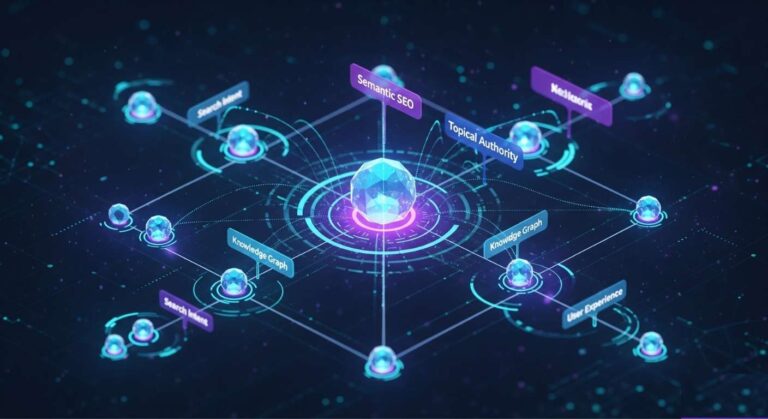
In the era of Google’s AI-driven algorithms, including RankBrain, BERT, and the Helpful Content System, internal linking is no longer just about navigation. It is about constructing a Knowledge Graph. It is about teaching a robot not just that your pages exist, but how they relate to the real world.
This guide is not a basic overview. We are going to deconstruct the physics of link equity, the architecture of topical authority, and shatter the myths about automation that are holding your site back.
How Google Processes Internal Links: Crawl Paths, PageRank, and Semantic Signals
To the average user, an internal link is blue text they click to see another page. To a search engine, an internal link is a data point containing three critical signals. Understanding these signals is the difference between page 1 and page 10.
1. The Crawl Path (Discovery)
Imagine your website is a dark cave. Googlebot is an explorer with a flashlight. The explorer can only step where there is a path. If you publish a new page but do not link to it from an existing indexed page, you have placed that page on an island. Googlebot cannot find it. This is called an Orphan Page.
- The Rule: No page on your site should ever exist without at least three incoming internal links.
2. The Equity Transfer (PageRank)
“PageRank” is the algorithm Google was built on. While they do not show us the score anymore, the math still works. Think of your Homepage as a bucket of water (Authority). Every external backlink fills that bucket. Internal links are the pipes that distribute that water to your other pages. The original PageRank algorithm by Larry Page and Sergey Brin established this equity-distribution model in 1998. Understanding how PageRank works in the context of modern site architecture is essential for building an effective link graph.
- The Damping Factor: Google does not pass 100% of the authority. There is a “damping factor” (usually estimated around 0.85). This means every time a link passes through a page, a portion of authority evaporates.
- The Strategy: You must create the shortest possible path from your “Power Pages” (Homepage) to your “Money Pages” (Conversion pages) to minimize authority loss.
3. The Semantic Signal (Context)
This is where modern SEO has changed the game. Old SEO was about keywords. Modern SEO is about Entities. Google uses Vector Space Models to understand relationships.
- Old Way: Linking the word “Apple” to an article.
- New Way (Semantic): Google analyzes the context. If the sentence contains words like “Pie,” “Cinnamon,” and “Baking,” Google understands the entity is Apple (Fruit). If the sentence contains “iPhone,” “MacBook,” and “Cupertino,” it understands the entity is Apple (Tech).
Your internal links confirm these entities. By linking “Espresso” to “Coffee Beans,” you are mathematically proving to Google that these two concepts are related in your specific Knowledge Graph. To monitor these connections across your site, use a link health monitor that tracks entity coverage and link graph integrity.
Three Pillars of Internal Link Architecture
You cannot just link randomly. Random linking creates a “spaghetti structure” that confuses crawlers. You need a deliberate architecture. A well-planned internal linking strategy for SEO follows one of three proven frameworks.
1. The Topic Cluster (Hub and Spoke)
This is the gold standard for topical authority. The topic cluster methodology creates tight semantic relationships between related content.
- The Hub (Pillar Page): A broad, high-level guide (e.g., “The Ultimate Guide to Digital Marketing”). This page targets high-volume, competitive keywords.
- The Spokes (Cluster Pages): Specific, deep-dive articles (e.g., “How to Calculate ROI,” “Email Subject Lines,” “PPC Bidding Strategies”).
- The Link Flow:
- The Hub links to every Spoke.
- Every Spoke links back to the Hub.
- Spokes link to each other (Contextual Bridging).
Why it works: The Spokes push authority up to the Hub, helping it rank for the hard keyword. The Hub pushes authority down to the Spokes, helping them get indexed. Building these clusters at scale is faster with a bulk internal linking tool that maps semantic relationships across hundreds of pages.
2. The Reverse Silo (The Underdog Strategy)
Most people build the Hub first. But what if you are a new site with zero authority? You cannot rank for “Digital Marketing.” Enter the Reverse Silo.
- Write 10 “Spoke” articles on low-competition, long-tail keywords.
- Interlink them heavily.
- Once they start getting traffic, then write the Hub page and link the Spokes to it. Why it works: You build a foundation of traffic and authority from the bottom up. LinkBoss’s Silo Module is specifically designed to visualize and execute this structure automatically.
3. The Tiered Pyramid (eCommerce Hierarchy)
For eCommerce sites (Shopify/WooCommerce), you need a strict hierarchy to prevent product cannibalization. Proper site architecture for SEO ensures that link equity flows efficiently from category pages to individual products.
- Tier 1: Homepage.
- Tier 2: Category Pages (e.g., “Men’s Shoes”).
- Tier 3: Product Pages (e.g., “Nike Air Max Size 10”). The Rule: Products should link to their Category. Categories should link to the Homepage. Products generally should not link to other products unless they are related accessories (Cross-sells).
Anchor Text Optimization Drives Internal Link Relevance
Anchor text (the clickable words) is the most dangerous and powerful part of internal linking. Google’s own guidance on how anchor text influences search results confirms that descriptive, relevant anchor text helps Google understand the linked page’s content.
The “Click Here” Trap
Never use “Click Here” or “Read More.” These are “naked anchors.” They tell Google nothing about the destination page. You are wasting a signal.
The “Exact Match” Danger
In 2010, you would link the phrase “Best SEO Tool” 500 times to your “Best SEO Tool” page. Today, Google calls that Over-Optimization (Penguin Penalty). If 90% of your links use the exact same keyword, it looks unnatural. Use an anchor text cannibalization checker to detect over-concentration of identical anchor text across your site.
The Solution: N-Grams and Natural Language
You need variety. You need Semantic Variation. If your target keyword is “Internal Linking Tool,” your anchors should look like this:
- “software for interlinking”
- “building site architecture”
- “improving crawl depth”
- “automated link suggestions”
- “LinkBoss”
Pro Tip: Look at the surrounding text. Google reads the 2-3 words before and after the link.
- Weak: “Use this tool.”
- Strong: “Use this semantic tool to improve rankings.”
Why Basic Link Automation Fails and Semantic AI Succeeds
Read any article from Yoast or Backlinko, and they will give you the same advice: “Do not automate internal linking. Plugins are dumb. Do it manually.”
They were right five years ago.
The Problem with “Dumb” Automation
Old-school plugins worked on Regex (Regular Expressions). You would give the plugin a list of keywords (e.g., “Cat”), and it would blindly link the word “Cat” every single time it appeared on your site.
- It did not care if you were talking about a “Cat” (animal) or a “Caterpillar” (machine).
- It did not care if the link was relevant.
- It created spammy, robotic patterns.
The New Reality: AI and Vector Embeddings
We are now in the age of LLMs (Large Language Models). Tools like LinkBoss have fundamentally changed the physics of linking. LinkBoss does not look for “Keywords.” It looks for Meaning. It converts your content into “Vector Embeddings” (mathematical representations of meaning). Research on semantic search and vector embeddings in modern SEO confirms that meaning-based matching outperforms keyword matching for content relevance. LinkBoss applies internal linking semantics to calculate sentence-level similarity, producing links that feel natural to both users and search engines.
- It reads Article A.
- It reads Article B.
- It calculates the Cosine Similarity between specific sentences.
If Article A talks about “brewing temperatures” and Article B is about “coffee extraction,” LinkBoss knows they are related even if they do not share the same keywords.
The Verdict: Manual linking is fine for a 10-page site. For a 1,000-page site, manual linking is impossible to sustain. It is impossible to remember every article you have ever written. You need semantic automation to uncover the connections you forgot existed.
Internal Linking Strategies That Build Search Rankings
Here are three specific campaigns you can run today to boost rankings. Internal linking research and case studies from Ahrefs and Moz consistently show that deliberate internal link campaigns produce measurable ranking improvements within 30 to 60 days.
Strategy 1: The “Orphan Hunter” Campaign
Orphan pages are wasted money.
- Go to your LinkBoss Links Report (or export from Google Search Console).
- Filter for pages with 0 Incoming Internal Links.
- The Fix: Do not just add random links. Find 3-5 older, high-authority posts that are topically relevant. Add a sentence (or use LinkBoss’s Smart Context feature to write one for you) and link to the orphan. Run your orphan pages through a free orphan page checker to get a complete list of disconnected pages.
- Result: You will see these pages pop into the index within 48 hours.
Strategy 2: The “Freshness” Boost
Google loves fresh content. But updating an old post is not enough; you need to reintegrate it into your site.
- Pick a “stale” post that has dropped in rankings.
- Update the content.
- The Fix: Find your newest 5 articles. Edit them to include a link back to this older post.
- Why: This signals to Google, “This old content is still relevant and referenced by our latest work.”
Strategy 3: The “Zero-Volume” Anchor Strategy
SEO tools often show “0 search volume” for long-tail phrases. Ignore that. If you have a section about “How to tamper espresso,” link it to a section about “Portafilter baskets.” These are Entity Connections. Even if no one searches for “Portafilter baskets,” connecting these two nodes strengthens your authority on the main topic “Espresso.”
Internal Linking Best Practices Checklist
Print this out. Do not publish a new article without checking these 5 boxes. Use the free internal linking audit tools from LinkBoss to automate most of these checks.
- The “3-Link” Rule: Does this new post link out to at least 3 other existing articles on my site?
- The Incoming Check: Have I gone back to older content and created links pointing to this new post? (This is the step everyone forgets).
- Anchor Audit: Am I using descriptive anchors? (No “Click Heres”).
- Deep Linking: Am I linking to deep pages, not just the Homepage or Contact page?
- Dofollow: Are all my internal links “Dofollow”? (Never Nofollow an internal link unless it is to a login page or cart).
Scaling Internal Linking Across WordPress and Shopify Sites
As your site grows, entropy sets in. Links break, 404s happen, and topics drift.
The “Crawl Depth” Problem
Ideally, every page should be reachable within 3 clicks of the homepage.
- Home > Blog > Category > Article (3 Clicks). If you have a pagination structure where a user has to click “Next” 50 times to find an old post, that post is dead. Solution: Use HTML Sitemaps and “Related Post” modules. Or, use LinkBoss to bulk-interlink older categories to newer ones, creating “wormholes” that reduce crawl depth.
Multi-Site Management
If you run an agency or an affiliate empire, you likely have 10 or more sites. Logging into 10 different WordPress dashboards to check broken links is a nightmare. This is why a Unified Dashboard (like the one LinkBoss offers) is critical. You need to see orphan stats, dead-end pages, and link opportunities for all your sites in one view. For enterprise-scale operations, a done-for-you internal linking service eliminates the manual overhead entirely.
Building a Neural Network of Internal Links for SEO
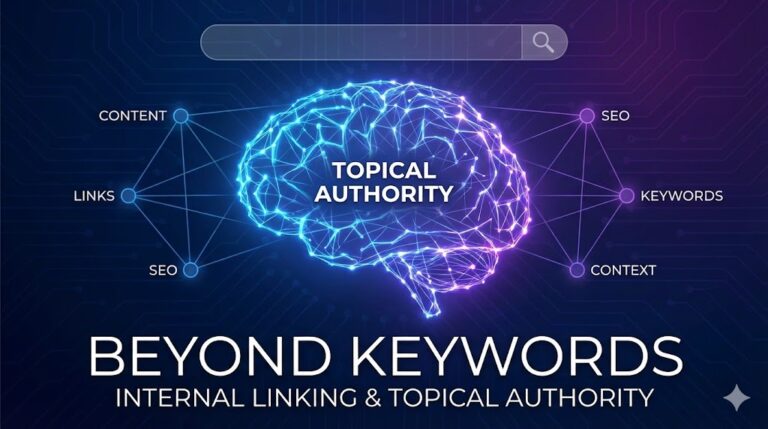
Stop thinking of your website as a collection of pages. Start thinking of it as a brain.
- Your pages are the Neurons.
- Your internal links are the Synapses.
A brain with more synapses thinks faster, recalls information better, and is “smarter.” A website with better internal linking ranks higher, indexes faster, and holds authority longer.
You can try to build these synapses manually, one by one, struggling to remember an article you wrote three years ago. Or, you can embrace the future of Semantic SEO and build a super-computer. LinkBoss is the internal linking platform that makes this possible.
The choice is yours. But remember: Google is already using AI to judge your site. Use AI to build it.
Frequently Asked Questions (FAQ)
1. How many internal links should be on a page?
There is no hard number, but a good rule of thumb is 5-10 internal links per 2,000 words. Relevance matters more than volume. If you have 20 highly relevant concepts to link, link them. If you only have 2, do not force it.
2. Can too many internal links hurt my SEO?
Yes. If you link every other word, it looks like spam and ruins the user experience. The more links on a page, the less link equity flows to each individual link, because the value gets diluted across more destinations.
3. Should I open internal links in a new tab?
Generally, no. For user experience (UX) on mobile, it is better to open internal links in the same tab. Open external links in a new tab so the user does not leave your site. Check your site’s dead-end page checker to find pages where users have no navigation path forward.
4. What is the difference between LinkBoss and LinkWhisper?
LinkWhisper primarily relies on keyword matching and manual review. LinkBoss uses Vector Embeddings (AI) to understand the meaning of sentences, offering higher relevance. LinkBoss also supports Bulk Interlinking (up to 1,000 links at once) and works on Shopify and other platforms via the cloud, whereas LinkWhisper is a WordPress-only plugin.
5. How do I fix “Dead End” pages?
A “Dead End” page is a page that has no outgoing links. Users land there and have nowhere to go but “Back.” Always ensure every article ends with links to related content or a “Read Next” section to keep the user loop open. For more on building proper internal linking best practices from Google, refer to Google’s official SEO starter guide.