How to Build a Circular Internal Linking Structure with Link Boss
The Problem: Orphan Pages That Google Ignores
If you have a category full of blog posts — maybe 15, maybe 30 pages — all covering the same topic, and Google is barely touching them, the likely culprit is that they’re disconnected. No internal links, no signal passing between them. They’re orphans.
This guide will show you how LinkBoss automatically creates a circular internal linking structure across all your category pages, so that a crawler visiting just one page will eventually discover every single one.
What Is Circular Linking (And Why Does It Matter)?
In a typical internal linking setup, you have a hub page linking out to spoke pages. That’s fine — but it still leaves many pages with zero inbound links, effectively making them orphans.
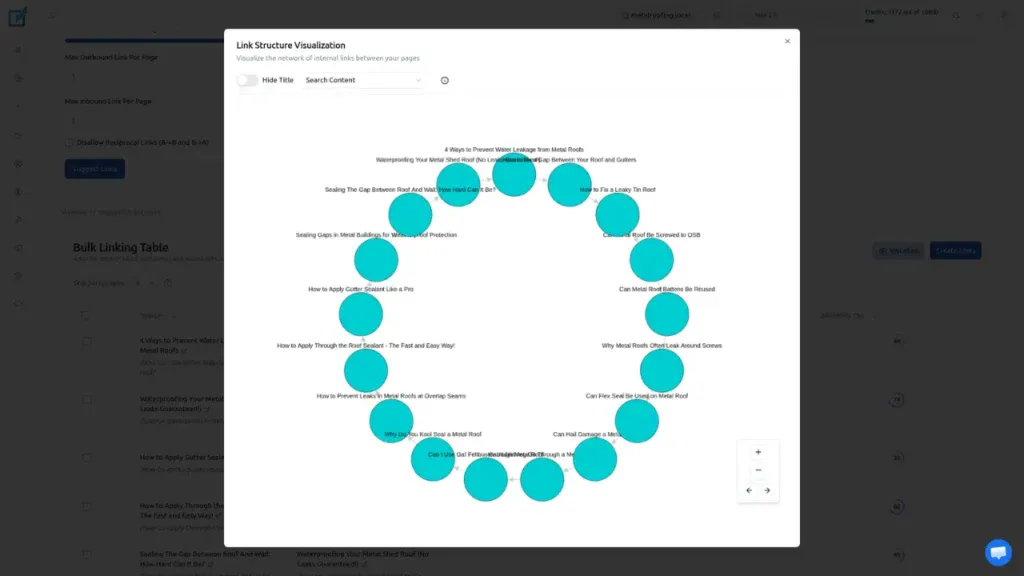
Circular linking is different. Every page in the cluster links to the next, and the chain eventually loops back to the start.
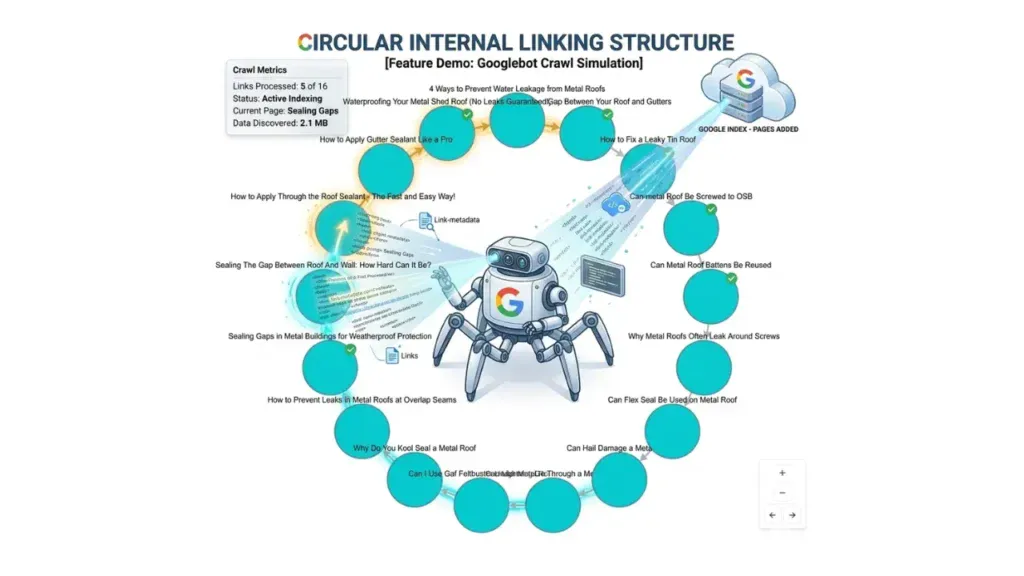
This means a Googlebot landing on any single page will follow links and reach every other page in the cluster. No page is left isolated. This structure is also called a circular silo.
Step-by-Step: Creating a Circular Silo with LinkBoss
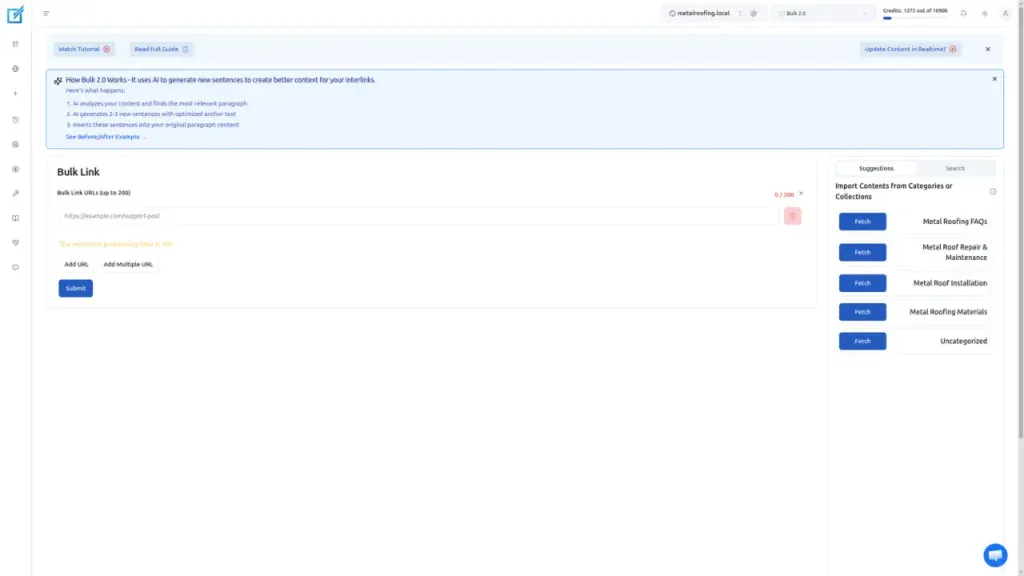
Step 1 — Open LinkBoss Bulk 2.0
Navigate to the LinkBoss Bulk 2.0 tool inside your dashboard.
Step 2 — Import Your Topic Cluster URLs
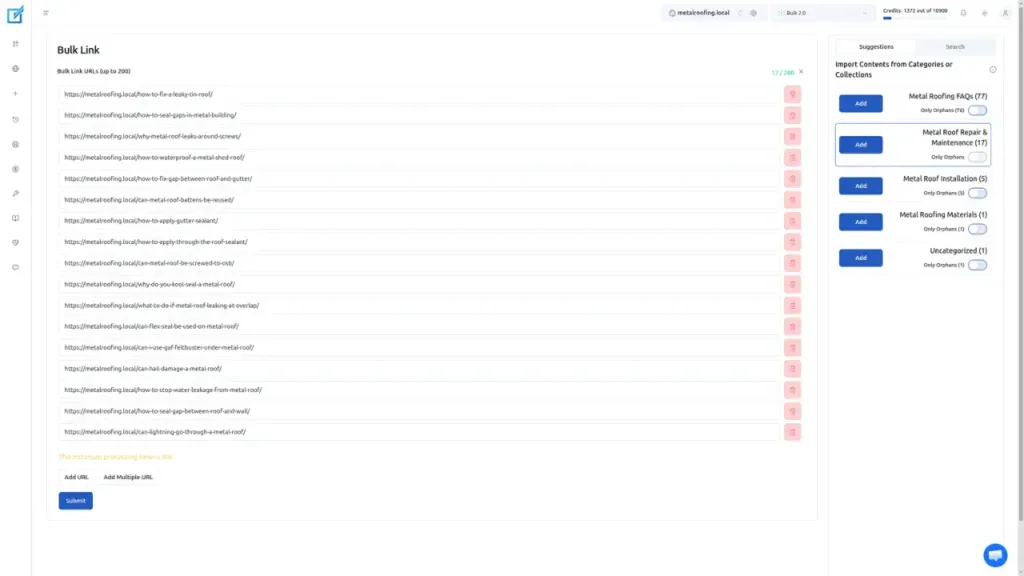
Import all the URLs for a single topic cluster — pages that revolve around one seed topic. For example, all your articles about metal roof repair and maintenance.
Important: Import the entire category at once. The algorithm needs to see all the pages together to build the ring efficiently.
Step 3 — Configure the Right Settings
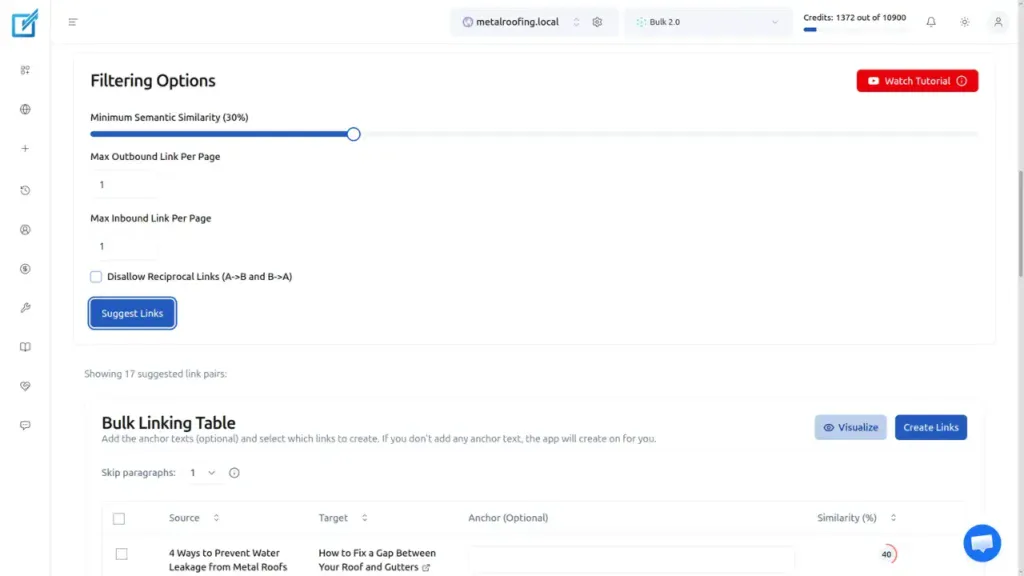
This is where the magic happens. You need to use these exact settings to trigger the circular structure:
| Setting | Value | Why It Matters |
|---|---|---|
| Max Outbound Links | 1 | Forces each page to have exactly one link going out — no page becomes a hub |
| Max Inbound Links | 1 | Ensures no page gets ignored or receives multiple links |
| Disallow Reciprocal Links | Off (disabled) | Allows the algorithm to link A → B → C → A in a chain, creating the circular structure |
| Semantic Similarity | Lowered | Lets the algorithm connect topically related pages, even if they’re not word-for-word identical |
Step 4 — Generate Suggested Links
Click the blue Suggest Links button. The algorithm will process your URLs and return a set of suggested internal links.
Step 5 — Visualize the Structure
Click the Visualize button to see the circular structure rendered in the visualizer. You’ll see each bubble connected to the next, forming that ring shape — confirming the circular silo has been built correctly.
Step 6 — Create the Links
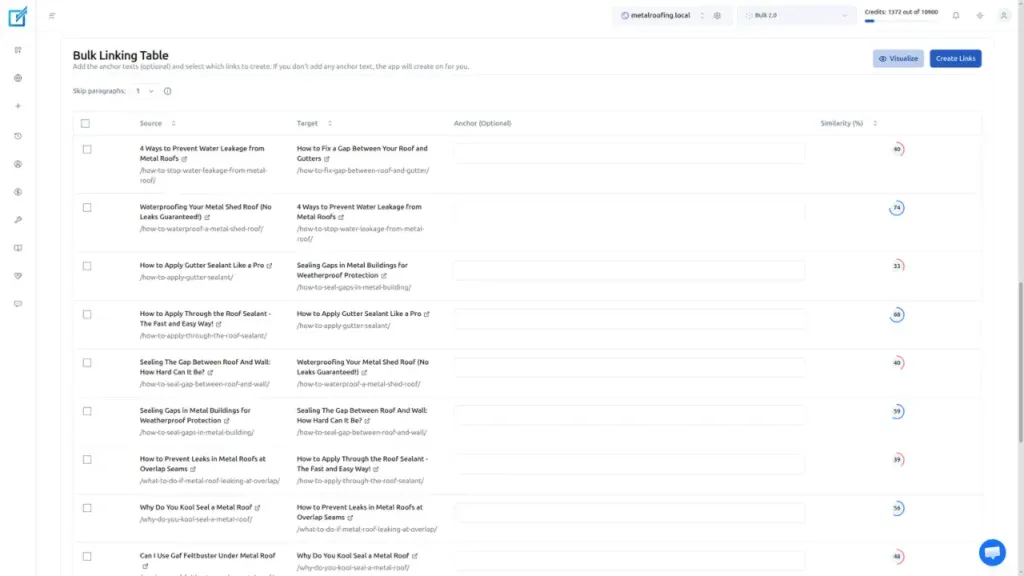
Review the suggestions, then click Create Links. LinkBoss will insert the internal links directly into your pages automatically.
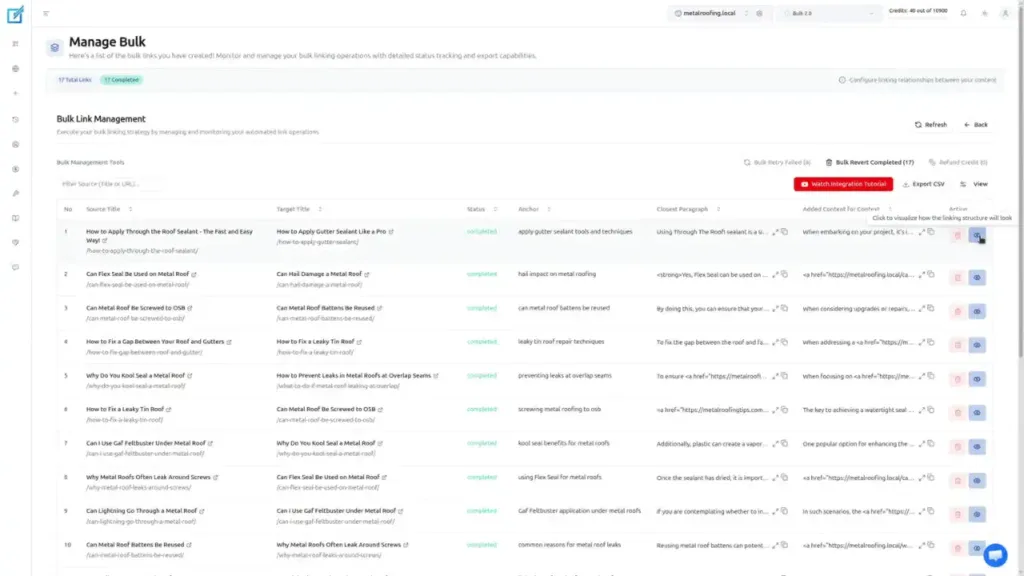
Step 7 — Verify the Links Were Placed
Click Refresh to update the table, then click the ℹ️ (info) icon on any page to inspect the interlink that was placed.
Who Is This For?
This workflow is ideal if you are:
- Struggling with orphan pages that Google isn’t crawling or indexing
- Trying to build topical authority in a competitive niche
- Managing large content categories with many related articles
The entire process takes under five minutes and is one of the highest-leverage internal linking actions you can take for SEO.
Summary
Circular internal linking ensures that every page in a topic cluster is connected to every other page via a chain of links. By using LinkBoss Bulk 2.0 with the specific settings outlined above, you can automatically build this structure across an entire category — passing link equity evenly, eliminating orphan pages, and making it easy for Google to crawl your full content cluster.
Have questions about setting this up? Contact support or our live chat.