6 Best Internal Linking Tools Compared (2026)
Internal linking tools are software applications or plugins designed to help website owners create, manage, and optimize internal links across their pages. These tools automate the process of finding linking opportunities, suggesting anchor texts, tracking link performance, and identifying structural issues like orphan pages. Using the right internal linking tool can reduce manual link building time by 15-20 hours per month for mid-size websites.
Here’s a comparison of the 6 best internal linking tools we tested head-to-head:
| Tool | Best For | AI-Powered | Multi-CMS | Bulk Linking | Starting Price |
|---|---|---|---|---|---|
| LinkBoss | Agencies & multi-site users | Yes | Yes | Yes | Free trial, then paid |
| Link Whisper | WordPress bloggers | Yes | No | No | $77/year |
| Internal Link Juicer | Budget WordPress users | No | No | No | Free + premium |
| Yoast SEO | WordPress beginners | Partial | No | No | Free + premium |
| Rank Math | All-in-one SEO users | Partial | No | No | Free + premium |
| AIOSEO | WordPress site managers | Partial | No | No | Free + premium |
Why Internal Linking Is Critical for SEO Performance
John Mueller from Google confirmed that internal linking is “one of the biggest things you can do on a website to kind of guide Google and guide visitors to the pages that you think are important.”
Internal links serve 3 core functions for SEO. First, they distribute PageRank (the authority signal Google uses to rank pages) from high-authority pages to deeper content that needs a ranking boost. Second, they help Google’s crawlers discover and understand the relationships between pages on your site, which improves crawl efficiency and index coverage. Third, they establish topical clusters (groups of related content linked together) that signal to search engines your site has comprehensive coverage of a subject.
Managing internal links manually becomes impractical beyond 50-100 pages. Internal linking tools automate link discovery, anchor text optimization, and structural analysis, reducing the time spent on link building by an estimated 15-20 hours per month for mid-size websites.
How to Choose the Right Internal Linking Tool
Not every internal linking tool fits every website. The right choice depends on your site’s CMS platform, content volume, and how much control you want over the linking process. Here are the 5 factors that matter most:
AI Accuracy and Semantic Relevance
The primary value of an internal linking tool is suggesting links that are actually contextually relevant. Keyword-matching tools (like Internal Link Juicer) simply look for matching words, which leads to irrelevant links. AI-powered tools (like LinkBoss and Link Whisper) analyze the meaning and context of your content to suggest semantically appropriate links. In our testing, LinkBoss’s suggestions were 53% more relevant than the closest competitor, with Link Whisper achieving less than 42% relevance out of 108 tested suggestions.
Bulk Linking Capabilities
For websites with hundreds or thousands of pages, adding links one at a time is not scalable. Only LinkBoss offers true bulk interlinking, creating links across hundreds of posts with a single click. Tools like Yoast, Rank Math, and AIOSEO require manual insertion of each link, which makes them impractical for large-scale link building.
CMS Compatibility
Most internal linking tools are WordPress-only plugins. If your website runs on Shopify, Wix, Joomla, or another CMS, your options narrow significantly. LinkBoss works as a SaaS platform across multiple CMS platforms, while all 5 other tools in this comparison are WordPress-exclusive plugins.
Reporting and Visualization
Effective internal linking requires visibility into your site’s link structure. The best tools provide reports showing orphan pages, link distribution, and click depth. LinkBoss and AIOSEO offer the most comprehensive reporting. LinkBoss also provides a visual site structure graph where every page becomes a node and every link becomes a visible connection, making it easy to spot structural gaps at a glance.
Pricing Model
Internal linking tools use 3 pricing models: free plugins (Yoast, Rank Math, AIOSEO basic), annual subscriptions (Link Whisper at $77/year, Internal Link Juicer premium), and credit-based SaaS (LinkBoss). Credit-based pricing offers more flexibility for agencies with variable workloads, while annual subscriptions provide predictable costs. LinkBoss offers a one-month free trial without a credit card, which is the most generous trial period among the tools we tested.
6 Best Internal Linking Tools Compared (2026)
1. LinkBoss: Best AI-Powered Internal Linking Tool for Agencies
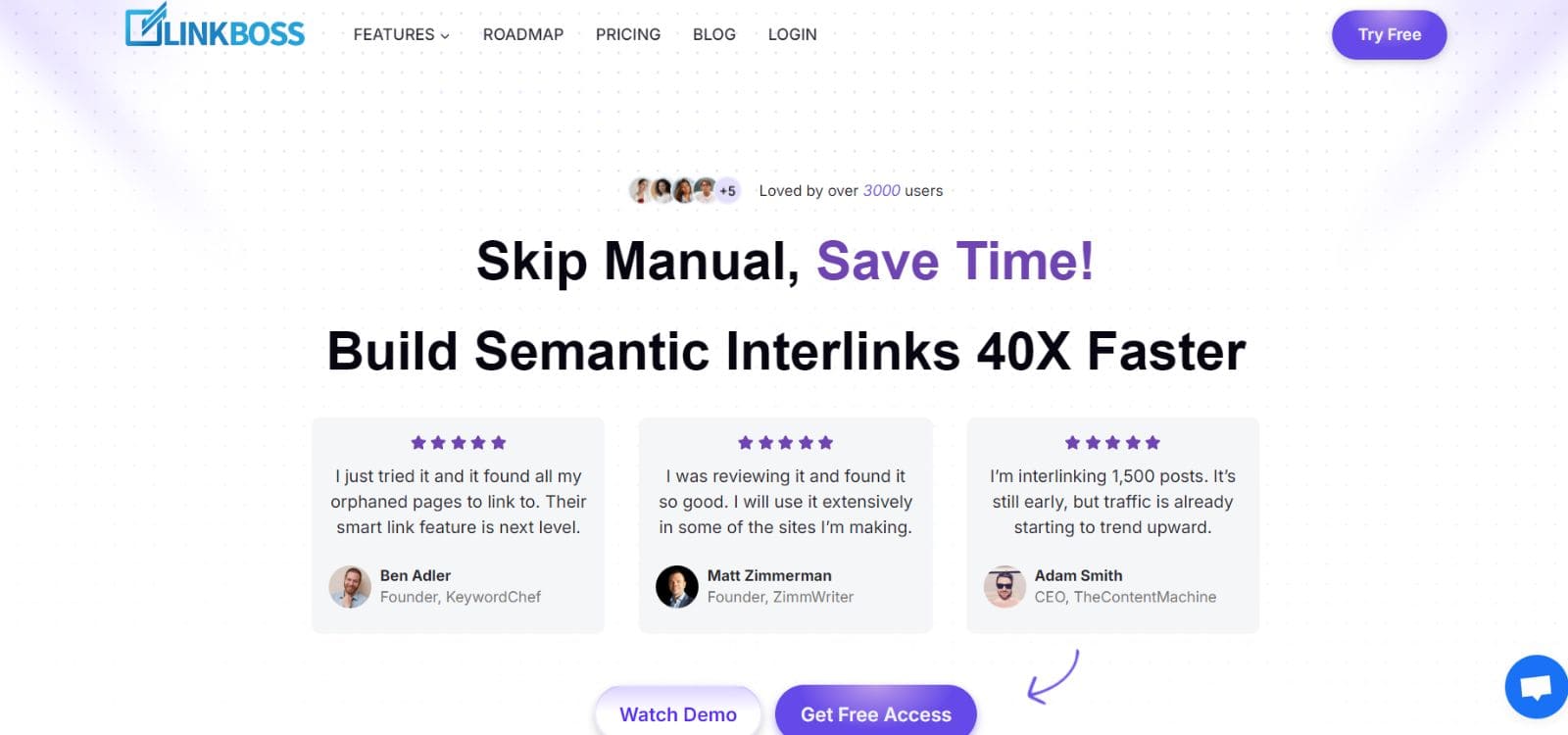
LinkBoss is an AI-powered SaaS platform that uses semantic analysis to build contextually relevant internal links at scale. It stands out for its bulk interlinking capability (up to 2,000 links in one click), multi-CMS support across WordPress and Shopify, GSC-powered rank tracking, and anchor text management. LinkBoss supports 30+ languages and offers a 7-day free trial without requiring a credit card. All analysis features (link reports, site visualization, rank tracking, orphan detection) remain free after the trial. Links created by LinkBoss stay permanent even if you remove the plugin.
Strengths of LinkBoss
- AI-Powered Semantic Linking
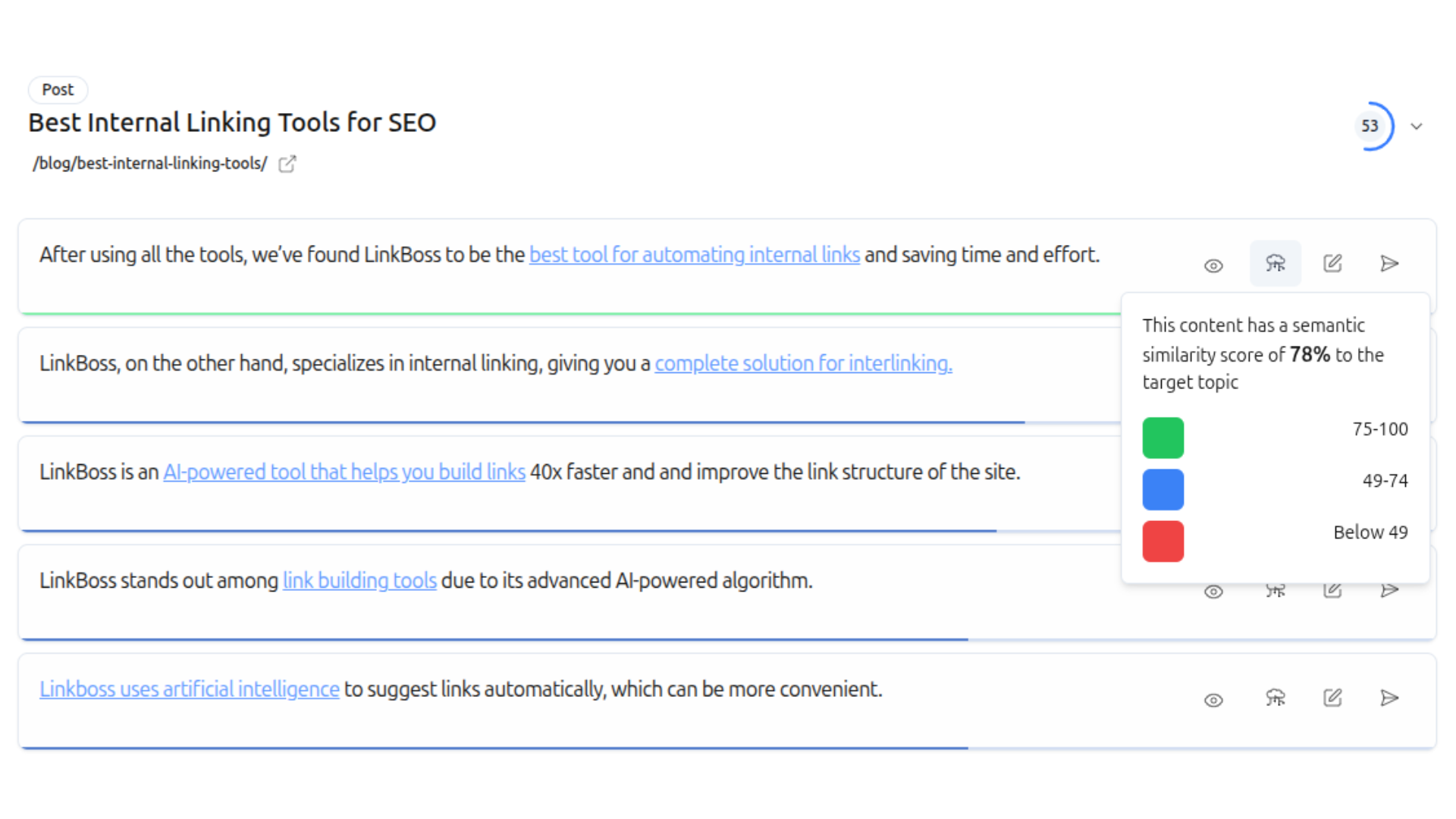
LinkBoss uses advanced artificial intelligence to create highly relevant internal links. Its algorithm goes beyond simple keyword matching to understand the context and meaning of your content, suggesting links that make sense semantically. Tests confirm that LinkBoss link suggestions are 53% more relevant than the closest competitor.
- Bulk Interlinking
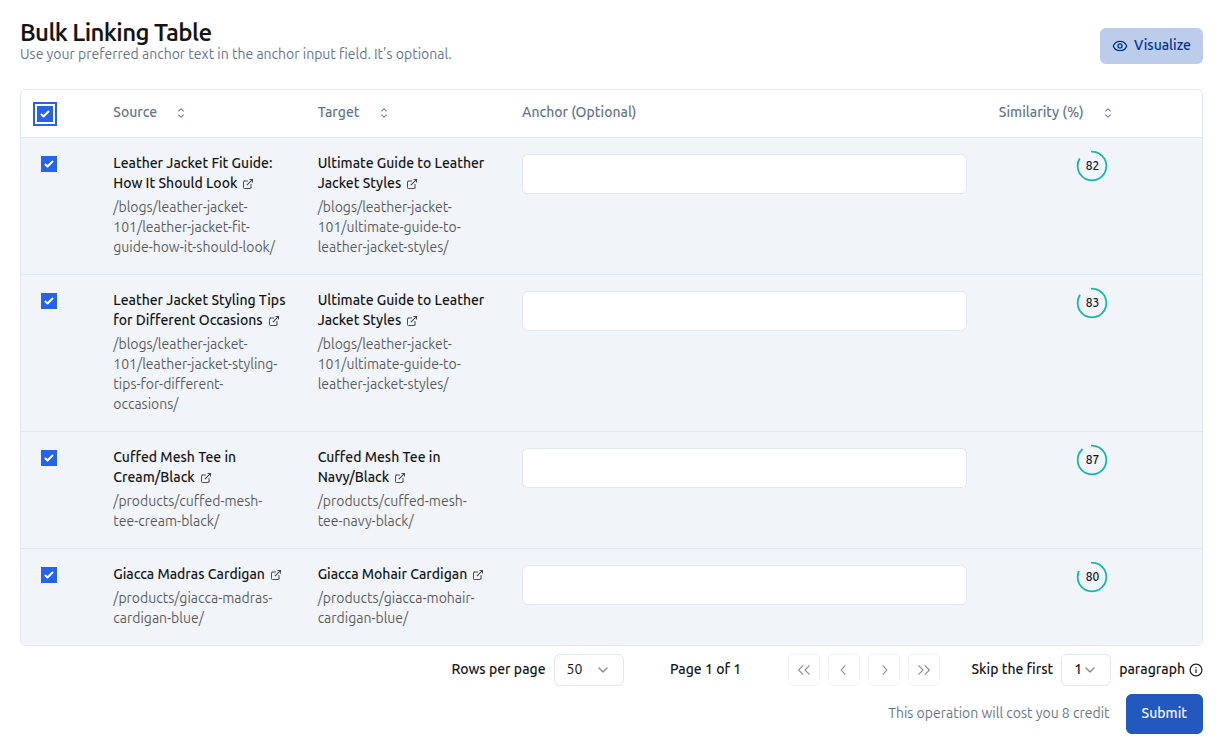
LinkBoss allows you to add internal links to many posts at once. With a single click, you can create links across hundreds of posts. This saves significant time for websites with thousands of pages, since LinkBoss automates the process instead of requiring you to go through each post manually.
- Silo and Topic Cluster Builder
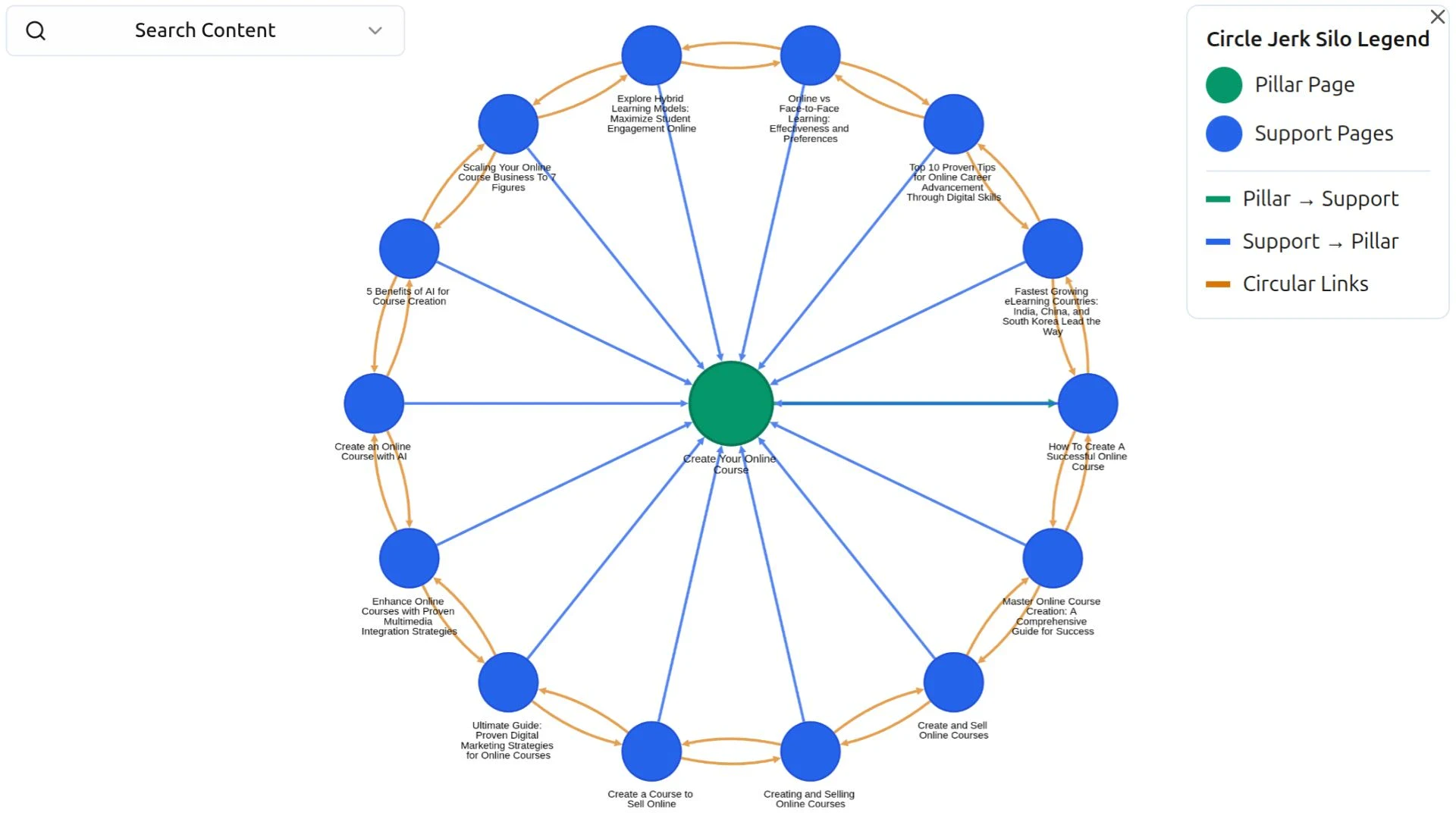
LinkBoss helps users create a well-organized site structure using silos and topic clusters. A topic cluster is a content organization method where a comprehensive pillar page links to and is linked from multiple related articles on the same subject. This signals to search engines that your site has in-depth coverage of specific topics, which helps build topical authority through internal linking.
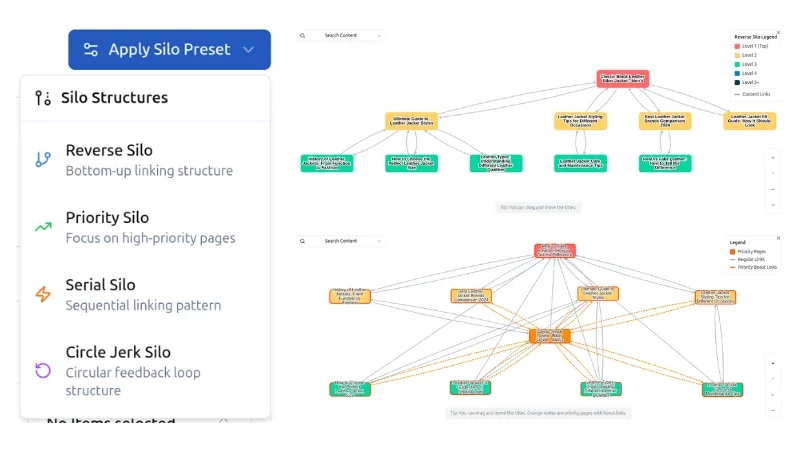
LinkBoss offers 4 silo preset structures that you can deploy with a single click: Reverse Silo (builds authority from support pages up to pillar pages), Priority Silo (focuses link equity on your most important pages first), Serial Silo (creates sequential linking between related content), and Circle Silo (builds circular link equity loops for maximum authority flow). You select parent and child URLs, and LinkBoss builds the entire interlink network automatically.
- Multi-Site Management
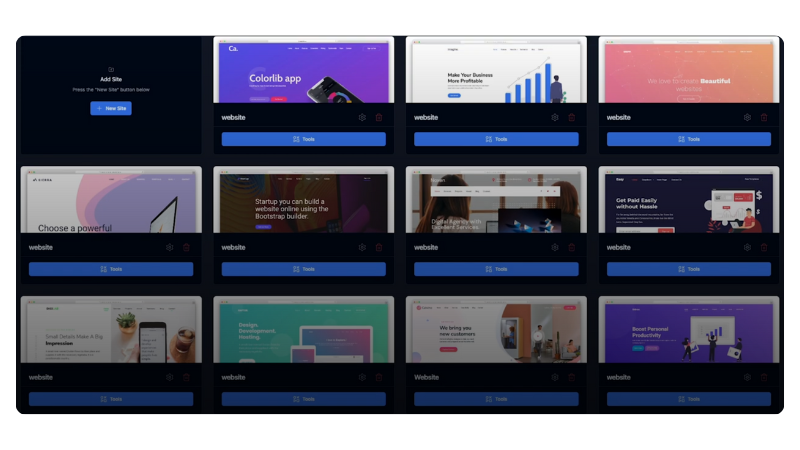
LinkBoss lets you control internal linking for all your sites from a single dashboard without needing separate licenses for each site. This is useful for SEO professionals, agencies, or businesses that run multiple websites.
- Visual Site Structure Mapping
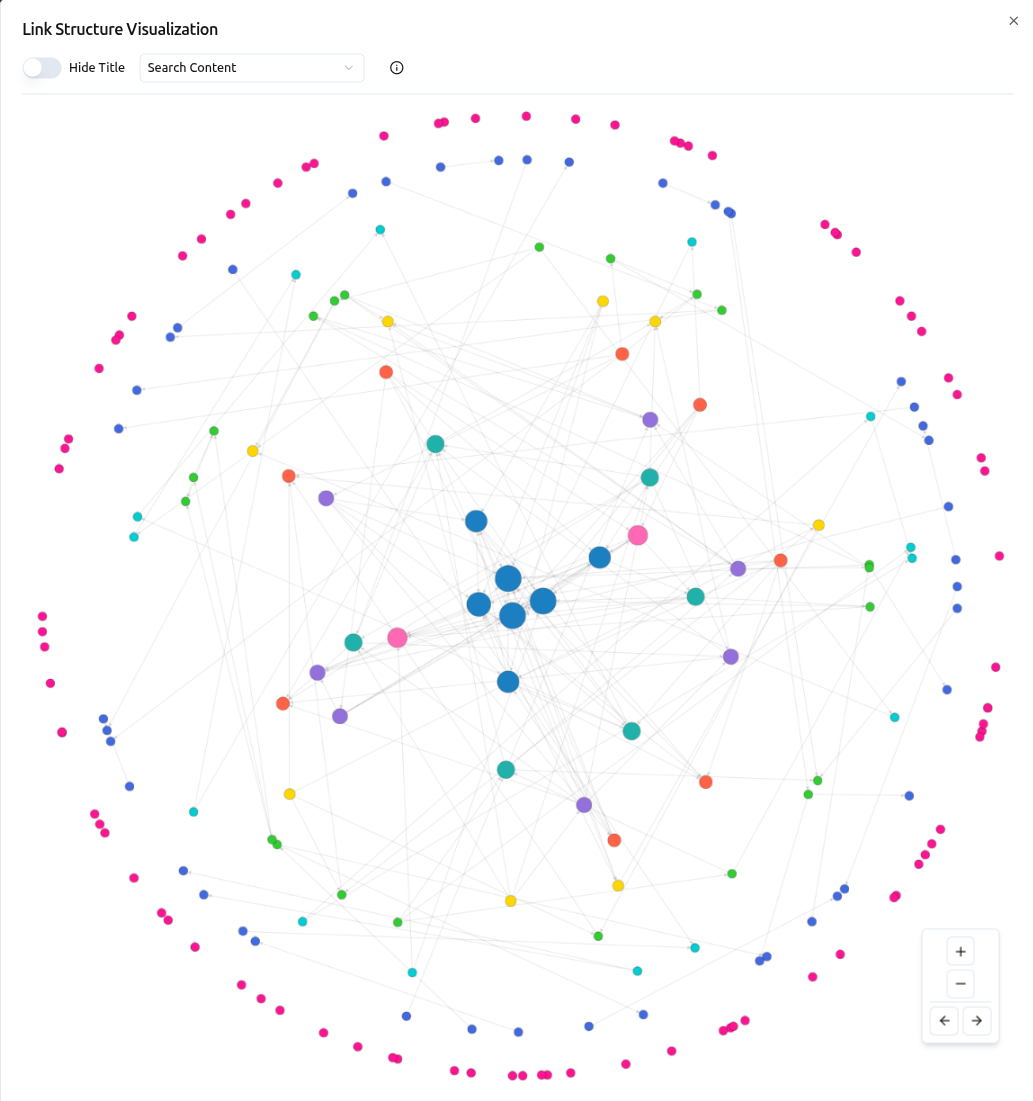
You can explore your entire site structure in an interactive graph. Every page becomes a node, every link becomes a visible connection, making it easy to identify structural gaps, orphan pages, and linking opportunities at a glance.
- GSC-Powered Rank Tracking
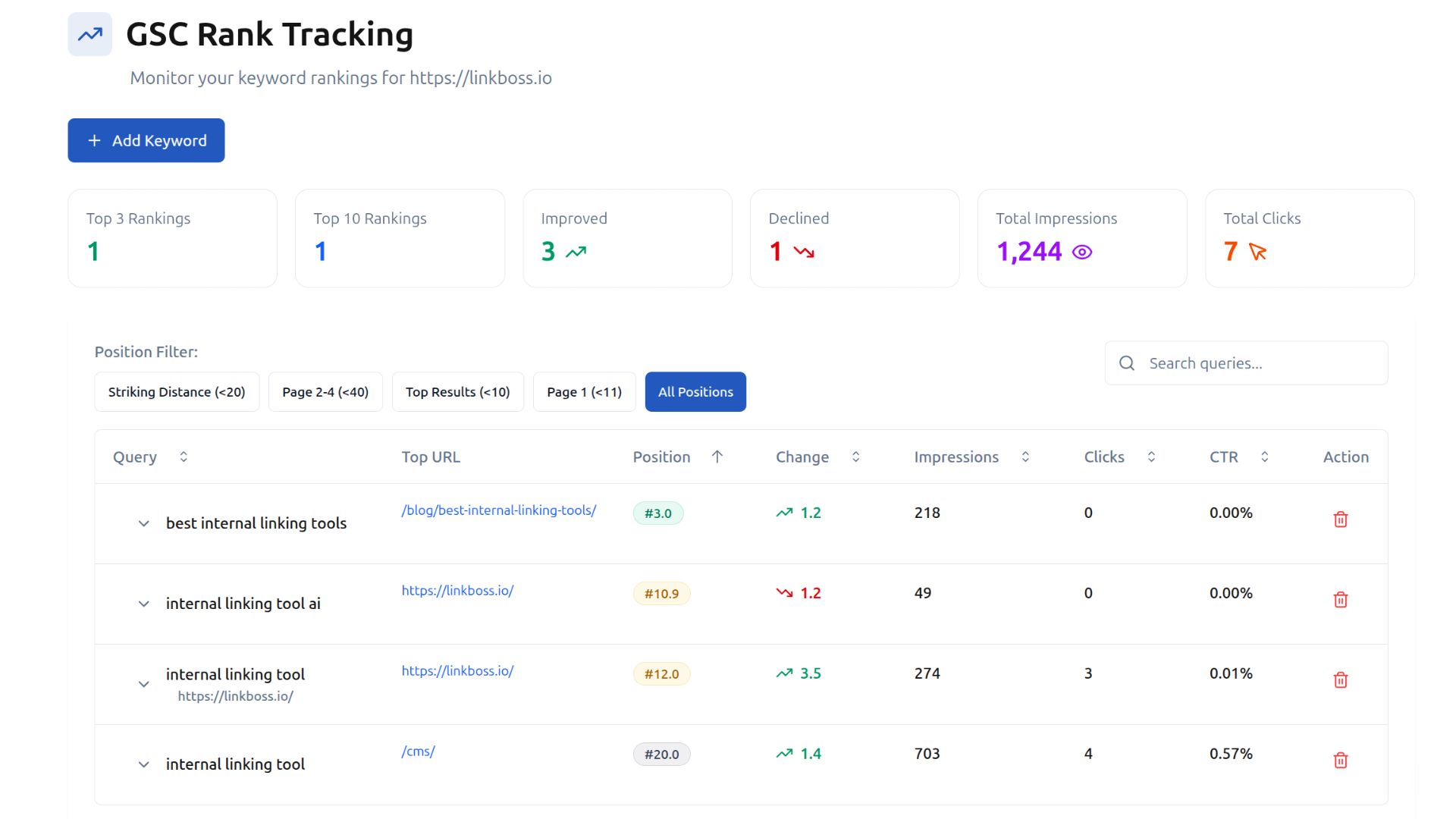
LinkBoss integrates with Google Search Console to track keyword rankings for every page on your site. You can monitor how your internal linking changes affect rankings over time without needing a separate rank tracking tool. This integration also powers GSC-based anchor suggestions, helping you identify which pages would benefit most from additional internal links based on actual search performance data.
- Anchor Text Management and Optimization
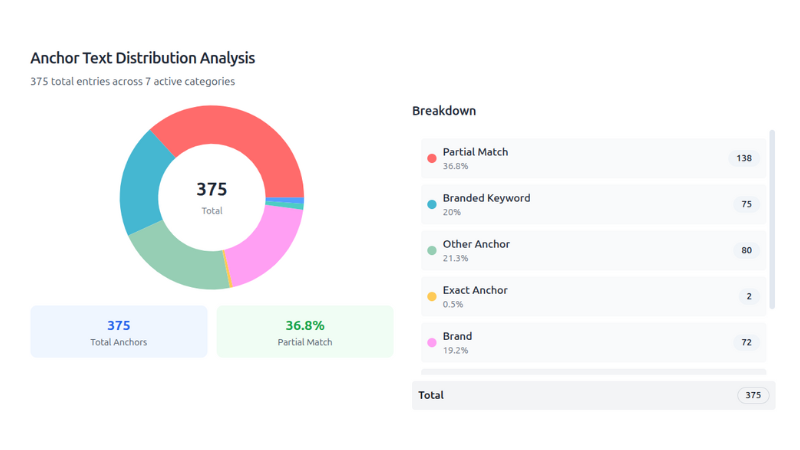
LinkBoss provides a built-in anchor text analysis tool that lets you monitor and optimize your anchor text distribution across your entire site. This helps you avoid anchor text cannibalization (multiple pages competing for the same anchor text) and maintain a natural, varied anchor profile that signals topical relevance to search engines.
- Smart Internal Link Generator
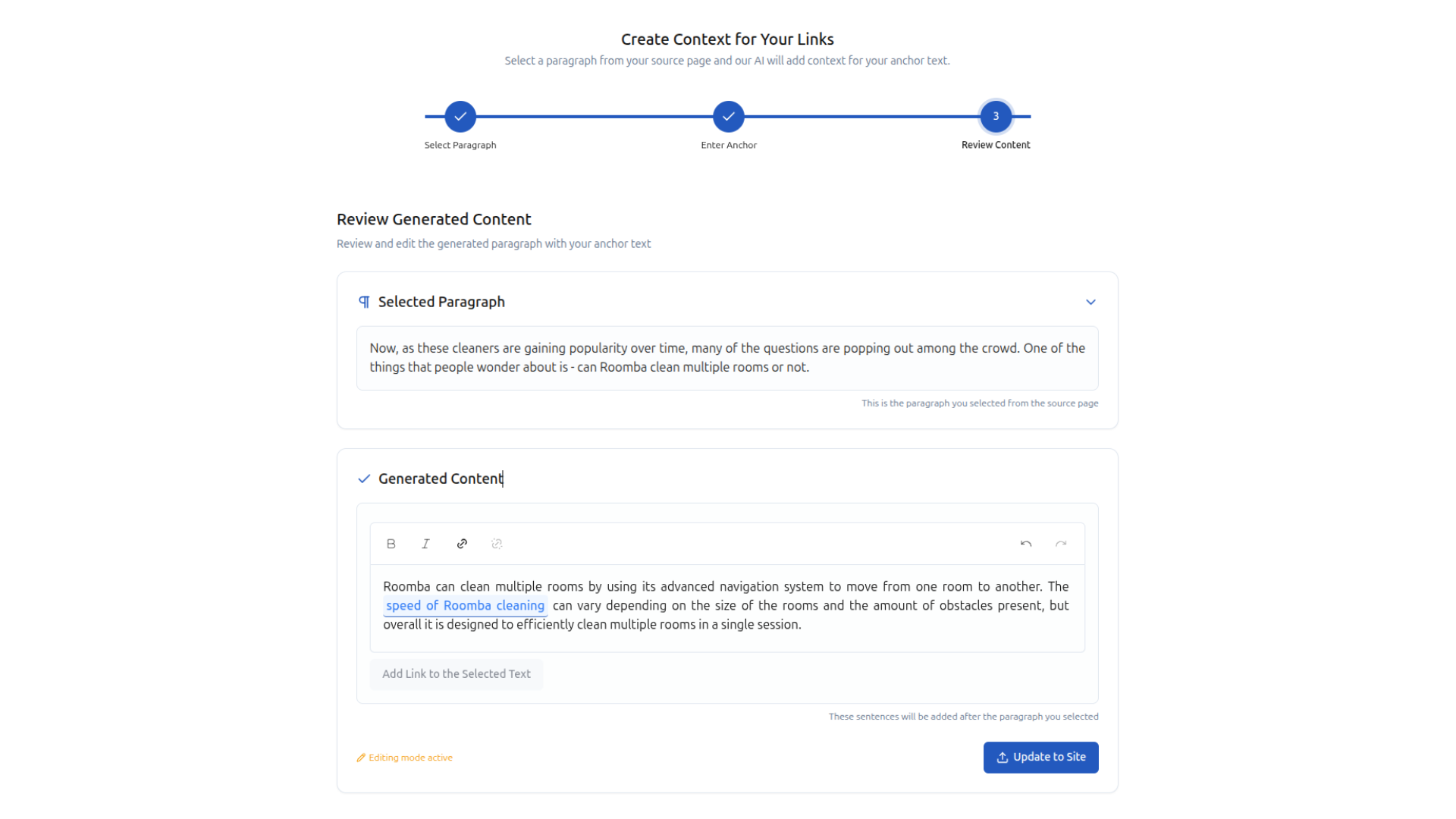
When no obvious interlinking opportunities exist within your existing content, LinkBoss can generate new contextual paragraphs that naturally incorporate internal links. This feature creates fresh content specifically designed to bridge the gap between related pages. No other tool in this comparison offers this capability.
- Interlinking Mistake Detection
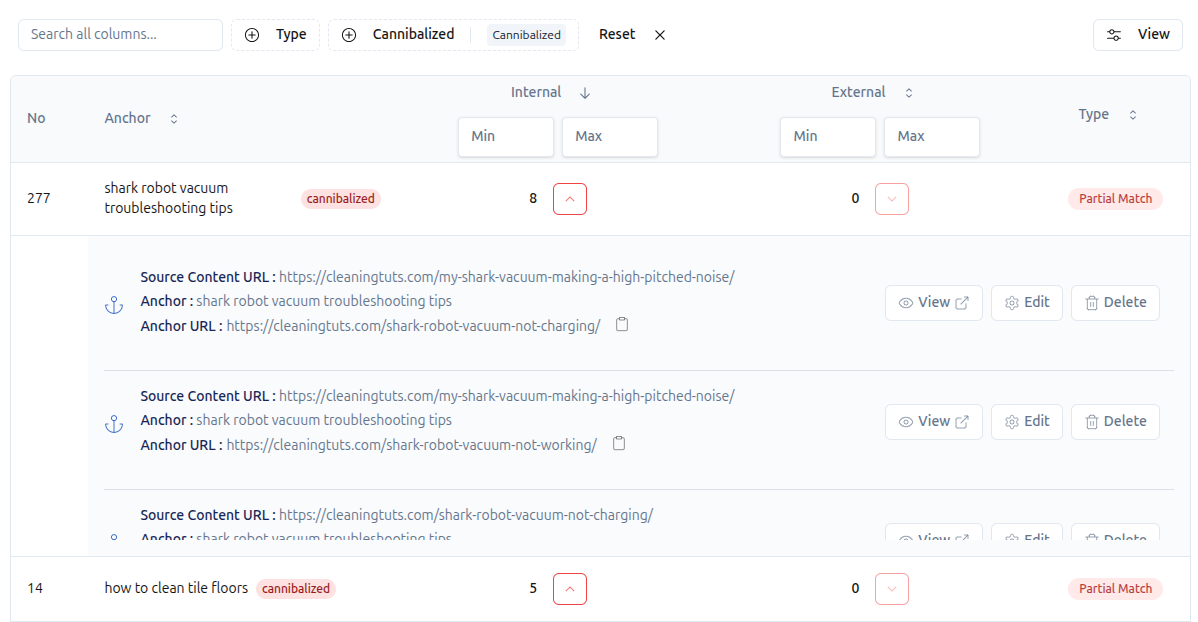
LinkBoss identifies and helps you fix common internal linking mistakes like orphan pages, dead-end pages (pages with no outbound links), and anchor text cannibalization.
- Multi-Language Support
LinkBoss supports 30+ languages, including English, Spanish, German, Dutch, French, Portuguese, Indonesian, Romanian, Italian, Danish, Finnish, Swedish, Tagalog, Traditional Chinese, Simplified Chinese, Malay, Polish, Russian, Bulgarian, Turkish, Czech, Hungarian, Serbian, Slovak, Arabic, Norwegian, Greek, Vietnamese, Albanian and Ukrainian.
This multilingual support is a significant advantage for users who manage websites in different languages or cater to an international audience.
- Comprehensive Link Reports
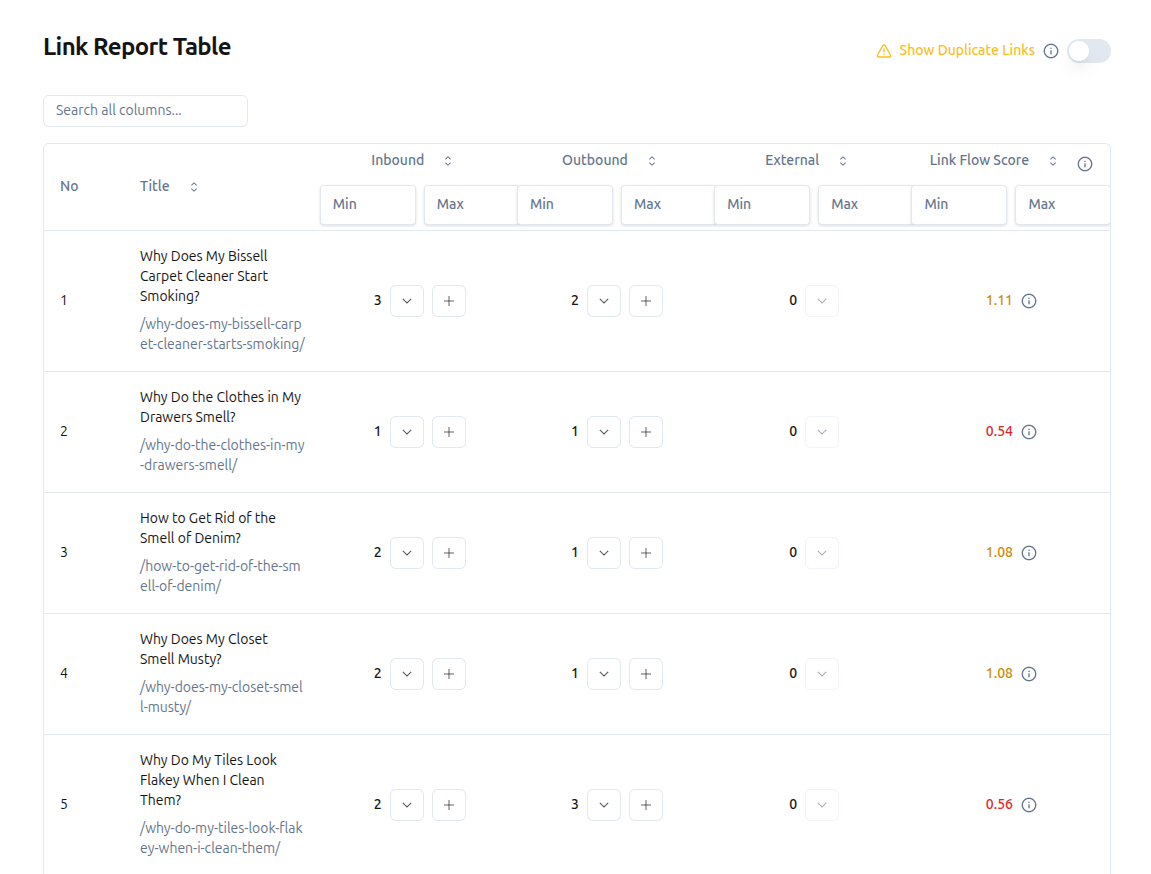
LinkBoss provides detailed site reports covering internal, external, and outbound links, as well as a free orphan page checker that identifies isolated pages on your site. The dashboard allows you to create links for pages directly from the report page.
- Free Trial Without Credit Card
You can sign up for a 7-day free trial without providing a credit card. After the trial, your link insertion credits expire, but all analysis features remain free permanently. This includes link reports, orphan page detection, site structure visualization, GSC rank tracking, anchor text analysis, and interlinking mistake detection. You only pay when you need to insert links.
Weaknesses of LinkBoss
- Credit-Based Pricing Requires Adjustment
LinkBoss uses a flexible credit-based pricing model rather than a traditional monthly subscription. Users familiar with flat-rate pricing may need time to understand how credits translate to actual usage. However, most users adapt their usage patterns within the first week.
2. Link Whisper: Popular WordPress Auto-Linking Plugin
Link Whisper is a WordPress plugin that uses AI and natural language processing to suggest internal links as you write. It integrates with Google Search Console to show keyword data and offers automatic linking rules. Link Whisper serves an estimated 80,000+ WordPress sites. You can read more about Link Whisper alternatives in our dedicated guide.
Strengths of Link Whisper
- Automated Internal Linking
Link Whisper suggests internal links automatically as you write in WordPress. It analyzes your existing content and recommends relevant links in real-time. You can add suggested links by checking a box, which makes the process fast.
- Link Management and Orphan Detection
Link Whisper helps manage your website’s link structure by finding orphan content (pages that have zero internal links pointing to them). The plugin provides reports on internal and external links and shows which pages need more internal links.
- Google Search Console Integration
Link Whisper connects with Google Search Console to display how your pages perform in search results and which keywords they rank for. This integration helps you identify which pages would benefit most from additional internal links.
Weaknesses of Link Whisper
- Low Suggestion Relevance
Link Whisper’s biggest weakness is irrelevant link suggestions. When the AI cannot find truly related content, it still suggests links, and these are often off-topic. In our testing, out of 108 suggested links, only 45 were relevant enough to use. That means less than 42% of suggestions were useful. This problem worsens for websites with thousands of articles. You can read more about these shortcomings of Link Whisper compared to LinkBoss in our detailed comparison.
- Inaccurate URL Changer and No Bulk Replacement
Link Whisper’s URL changer function does not count links correctly, showing wrong numbers for how many links it has replaced. Additionally, there is no bulk link replacement feature, which limits its usefulness for sites undergoing large-scale content restructuring.
3. Internal Link Juicer: Budget Keyword-Based Linking for WordPress
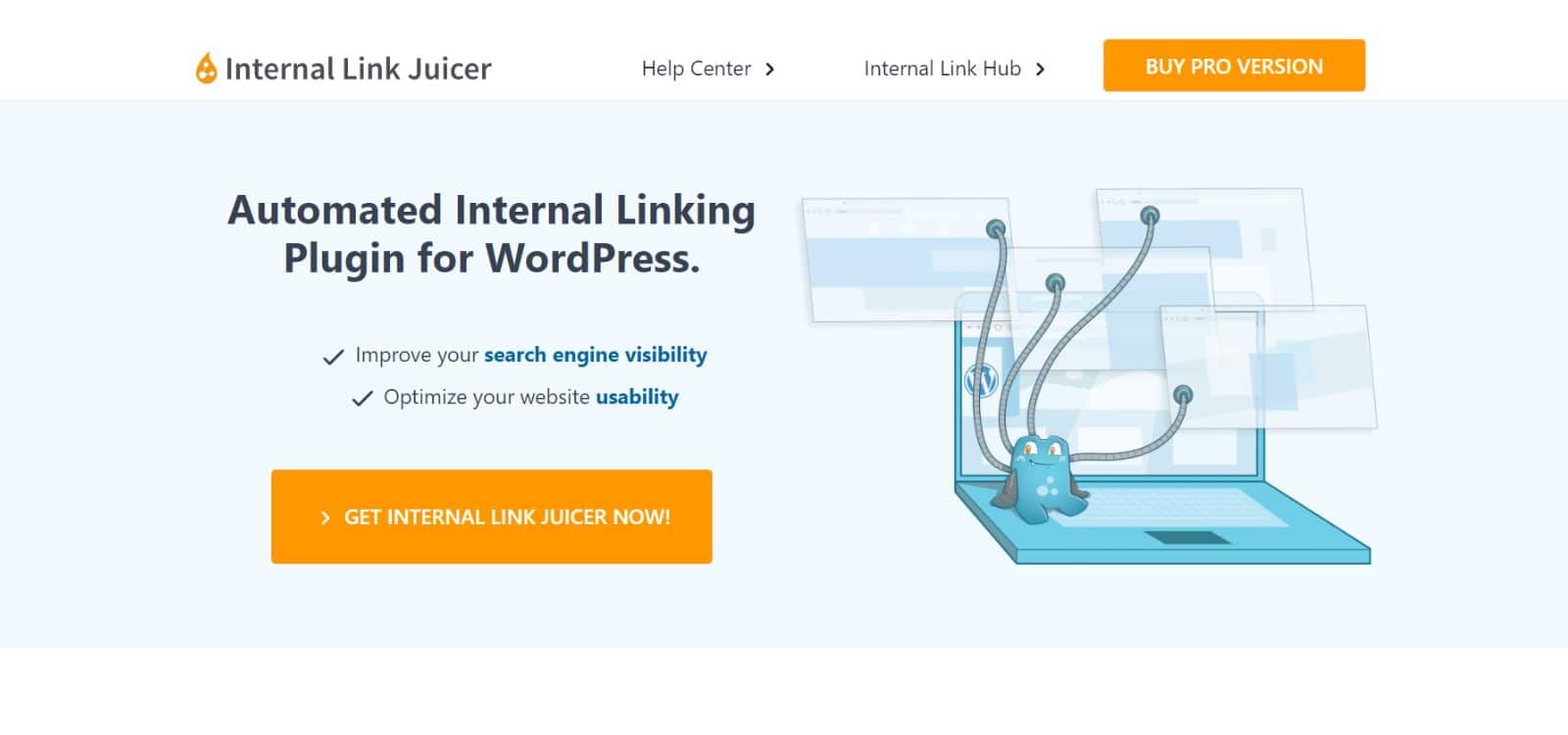
Internal Link Juicer automatically adds internal links to your website content based on keywords you configure. Unlike AI-powered tools, it uses a keyword-matching approach. The plugin comes in both free and premium versions, making it one of the most affordable options.
Strengths of Internal Link Juicer
- Automatic Keyword-Based Linking
You define which keywords should link to which pages, and Internal Link Juicer automatically inserts links wherever those keywords appear in your content. This eliminates manual link insertion.
- Anchor Text Variation
Internal Link Juicer rotates through different anchor text variations for the same link, preventing the over-optimization that occurs when a single anchor text is used repeatedly. This helps maintain natural link profiles.
- Detailed Analytics and User Role Controls
The plugin provides analytics showing which pages receive the most links, which link out most frequently, and what anchor texts are in use. It also lets you control which user roles can modify link settings, which is useful for teams where only admins should configure linking rules.
Weaknesses of Internal Link Juicer
- No AI-Powered Suggestions (Keyword Matching Only)
Internal Link Juicer cannot suggest links based on content meaning. It only matches keywords you manually configure, which means you must define every keyword-to-URL pairing yourself. For sites with hundreds of posts, this manual setup is time-consuming.
- No Reverse Link Suggestions
Internal Link Juicer can only add links from the post you are editing to other pages. It cannot suggest places on other pages where you could add links back to the current post. This one-directional approach means you miss opportunities to create a well-connected link network.
- Past Security Vulnerabilities
Older versions of Internal Link Juicer (up to version 2.23.4) contained a security vulnerability that could allow malicious code injection. The issue was patched, but it highlights the importance of keeping the plugin updated to the latest version.
4. Yoast SEO: Free Internal Link Suggestions for WordPress
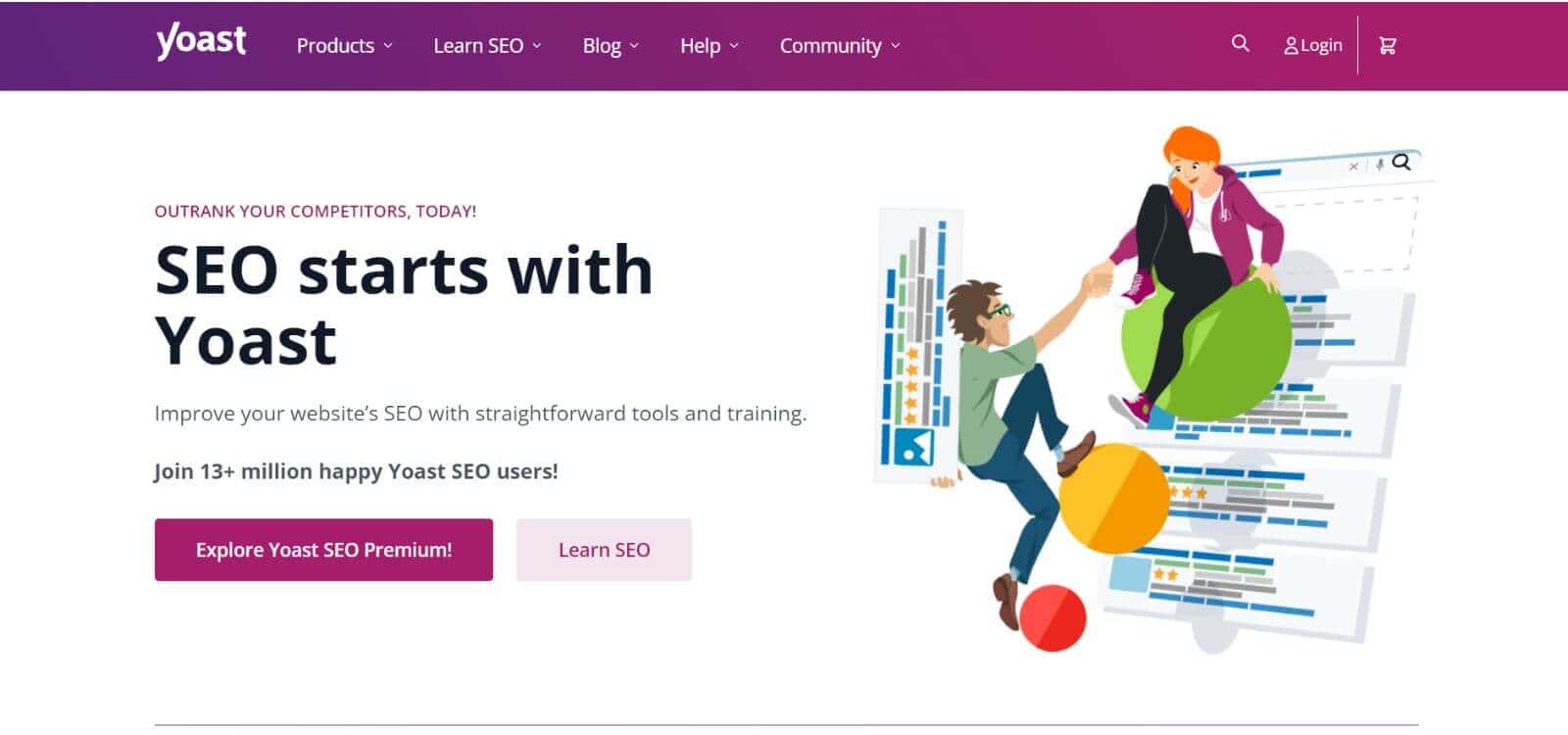
Yoast SEO is the most widely used WordPress SEO plugin with over 13 million active installations. Internal linking is not its primary function, but Yoast Premium includes an internal linking suggestions feature that recommends relevant links as you write. It is best suited for WordPress beginners who want basic link suggestions alongside broader SEO features.
Strengths of Yoast SEO
- Automated Link Suggestions in the Editor
Yoast’s link suggestions appear in a sidebar as you write. Instead of manually searching through old posts to find relevant links, the plugin analyzes your content and suggests pages that match your current topic. You can drag suggested links directly into your content.
- Identifies Underlinked Content
Yoast highlights posts that have few internal links pointing to them, helping you find older or less popular content that needs better link connectivity. This is useful for maintaining link equity distribution across your site.
Weaknesses of Yoast SEO
- Keyword-Matching Leads to Irrelevant Suggestions
Yoast suggests links based on keyword matching rather than semantic understanding. This produces irrelevant results when different topics share keywords. For example, it might suggest a link to an “Apple computers” article when writing about “apple pie recipes.” You must manually review every suggestion for relevance.
- Limited Customization for Link Building
Yoast’s internal linking feature is basic compared to dedicated linking tools. You cannot set up automatic linking rules, perform bulk linking, or visualize your site’s link structure. LinkBoss offers more advanced linking capabilities that Yoast lacks.
5. Rank Math: Best All-in-One SEO Plugin with Link Suggestions
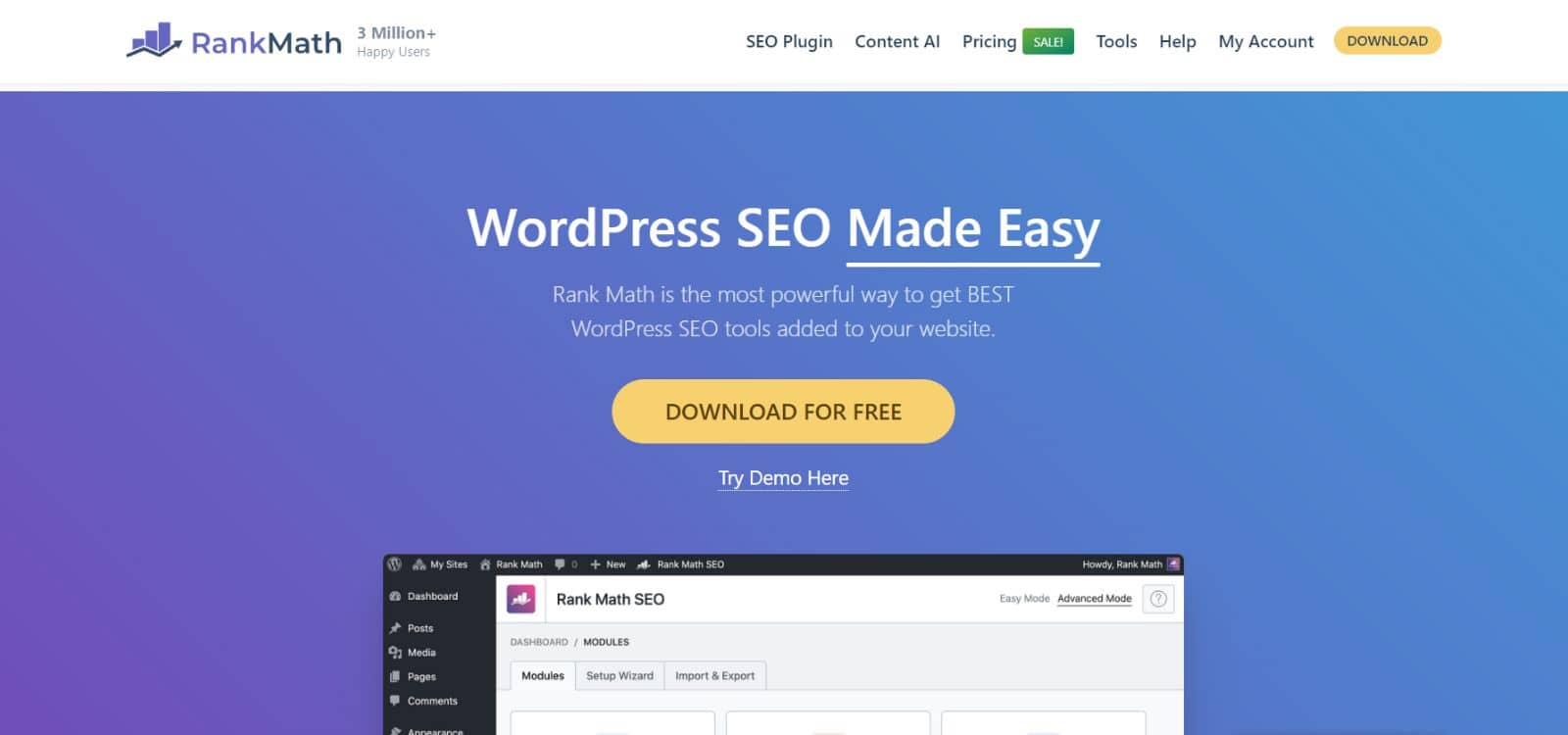
Rank Math is a popular all-in-one WordPress SEO plugin that includes internal link suggestions as part of its broader feature set. It offers a Link Counter to track internal and external links per post, pillar content prioritization, and suggestions based on post titles or focus keywords. Compared to LinkBoss, Rank Math’s linking features are more limited but sufficient for users who want SEO and linking in a single plugin.
Strengths of Rank Math
- Pillar Content Prioritization
Rank Math lets you mark important pages as “Pillar Content.” Once marked, the plugin prioritizes these pages when suggesting internal links, which helps you build strong link equity around your most valuable content.
- Link Counter for Balanced Linking
Rank Math’s Link Counter tracks the number of internal and external links in each post. This helps you maintain a balanced linking strategy and avoid over-linking or under-linking individual pages.
Weaknesses of Rank Math
- Manual Link Insertion Only
Rank Math suggests links but does not insert them automatically. You must review each suggestion and manually add it to your content. For websites with extensive content, this process is time-consuming compared to tools that offer auto-insertion.
- No Bulk Linking Feature
Rank Math does not support bulk link creation. Each link must be added one page at a time, which makes it impractical for websites that need to add internal links across hundreds of pages simultaneously.
- Keyword-Based Suggestion Limitations
Rank Math suggests links based on keywords or post titles rather than semantic content analysis. This keyword-based approach sometimes produces suggestions that are not contextually relevant, especially for pages that share common terminology across different topics.
6. AIOSEO: Best Link Assistant for WordPress Site Managers
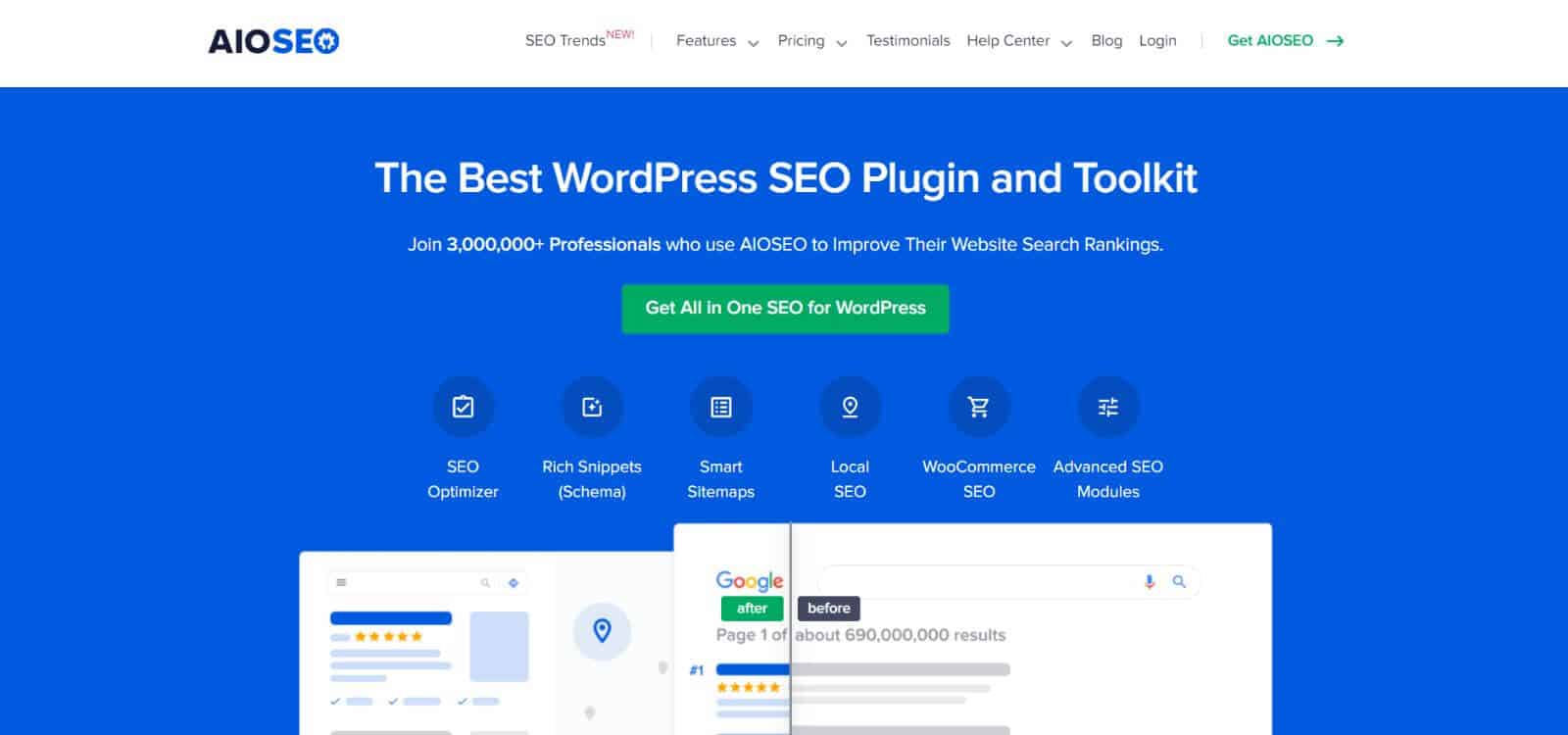
All in One SEO (AIOSEO) is a WordPress SEO plugin that includes a Link Assistant feature for internal link management. It provides automated reports, orphan page detection, color-coded scoring, and cornerstone content markup. AIOSEO is designed exclusively for WordPress and does not support other CMS platforms.
Strengths of AIOSEO
- Link Assistant with Orphan Page Detection
AIOSEO’s Link Assistant identifies orphan pages (pages with zero internal links pointing to them) and suggests links to connect them. The automated reports provide a quick overview of your site’s link structure without requiring a manual audit. To understand why orphan pages hurt your SEO, read our guide on how to fix orphan pages with internal linking.
- Color-Coded Link Scoring
AIOSEO uses a color-coded system to indicate which pages have strong internal linking and which need improvement. This visual approach makes it easy to prioritize your optimization efforts and focus on the pages that need the most attention.
- Cornerstone Content Markup
The plugin helps you identify and link to your most important content through cornerstone content markup. This supports creating effective topic clusters where key pages receive strong internal link support from related content.
Weaknesses of AIOSEO
- WordPress-Only (No Multi-CMS Support)
AIOSEO is built exclusively for WordPress. If your site runs on Shopify, Wix, or any other CMS, or if you manage websites across multiple platforms, AIOSEO will not work. You need a SaaS tool like LinkBoss that supports multiple CMS platforms. You can read our detailed LinkBoss vs AIOSEO comparison for more context.
- Feature Overload for New Users
AIOSEO offers a wide array of features beyond internal linking, which can overwhelm users who only need link management. The settings interface has many options and configurations that newcomers to SEO may find confusing.
- Limited Features on Lower-Tier Plans
The free and basic plans of AIOSEO restrict access to advanced features. Users who need full Link Assistant functionality, including comprehensive reporting and cornerstone content tools, must upgrade to premium plans.
Why LinkBoss Outperforms the Other 5 Tools
After testing all 6 tools, LinkBoss delivers the strongest results across 6 key areas:
- 53% more relevant link suggestions than the closest competitor, verified through testing 108 suggestions across multiple content types.
- Bulk interlinking of up to 2,000 links with a single click. No other tool in this comparison offers this capability.
- GSC-powered rank tracking and anchor suggestions to monitor how internal linking changes affect keyword rankings over time.
- 4 one-click silo presets (Reverse, Priority, Serial, Circle) for building topic cluster networks automatically.
- Multi-CMS support across WordPress, Shopify, and other platforms, unlike the 5 WordPress-only plugins.
- Links stay permanent even after you remove the plugin. The 5 WordPress plugins in this comparison remove links when you uninstall them.
Additionally, LinkBoss offers a Smart Internal Link Generator that creates new paragraphs when no obvious interlinking opportunities exist, an anchor text optimization tool to manage anchor distribution, and mistake detection for broken links, orphan pages, and dead-end pages. LinkBoss specializes entirely in internal linking, whereas Yoast, Rank Math, and AIOSEO treat it as a secondary feature within broader SEO plugins.
Frequently Asked Questions About Internal Linking Tools
What is the best internal linking tool for WordPress?
Based on our head-to-head testing, LinkBoss delivers the most relevant link suggestions for WordPress with 53% higher relevance than the closest competitor. For free options, Yoast SEO’s internal linking suggestions provide basic capability, while Rank Math offers a good balance of free features and link management. Link Whisper is popular but suffers from low suggestion accuracy (only 42% of its suggestions were relevant in our testing).
Are internal linking tools worth the investment?
Internal linking tools reduce manual link building time by an estimated 15-20 hours per month for mid-size websites with 500+ pages. John Mueller from Google confirmed that internal linking is “one of the biggest things you can do on a website to guide Google and guide visitors to the pages that you think are important.” The time savings and ranking improvements typically justify the cost for any website with more than 100 pages.
Can internal linking tools improve my Google rankings?
Internal linking tools improve rankings by distributing PageRank equity across your pages, reducing orphan pages that Google cannot discover through links, and helping Google understand the topical relationships between your content. According to Google’s documentation on crawlable link structures, internal links are a primary mechanism for content discovery. Sites that use automated internal linking tools typically see ranking improvements within 4-8 weeks for pages that were previously poorly internally linked.
What’s the difference between internal linking plugins and SaaS tools?
WordPress plugins like Yoast, Rank Math, and Link Whisper operate within your WordPress dashboard and are limited to WordPress sites. SaaS tools like LinkBoss work across multiple CMS platforms (including WordPress, Shopify, Wix, and others) and offer features like bulk linking, multi-site management, and visual site structure analysis that plugins typically lack.
Which internal linking tools work best for large websites?
For websites with 1,000+ pages, bulk linking capability is the most important factor. LinkBoss is the only tool in this comparison that offers bulk interlinking across hundreds of posts with a single click. Its multi-site management dashboard also makes it suitable for agencies managing multiple large websites. WordPress sites with large content libraries benefit most from AI-powered tools that can analyze thousands of posts simultaneously.
Can internal linking tools cause SEO problems?
Poorly configured internal linking tools cause 3 common problems: over-linking dilutes PageRank by spreading authority too thin across too many targets; irrelevant anchor texts from keyword-matching plugins confuse Google about the topical focus of linked pages; and security vulnerabilities in outdated plugins can expose your site to malicious code injection (Internal Link Juicer versions up to 2.23.4 had this issue). Always review AI suggestions before accepting them, limit internal links to 3-5 per page, and keep all plugins updated. Read our guide on 7 common internal linking mistakes to avoid these issues.
Final Recommendation
For WordPress users who need basic link suggestions alongside broader SEO features, Yoast SEO or Rank Math are solid free options. For WordPress users who want a dedicated linking plugin with automatic suggestions, Link Whisper is the most popular choice, though its 42% suggestion accuracy means you will discard more than half of its recommendations.
For agencies, multi-site managers, or any website that needs accurate, scalable internal linking across multiple CMS platforms, LinkBoss delivers the strongest results. Its 53% higher suggestion relevance, bulk interlinking, visual site structure mapping, and multi-CMS support make it the most complete internal linking solution available. You can start with a one-month free trial, no credit card required.